

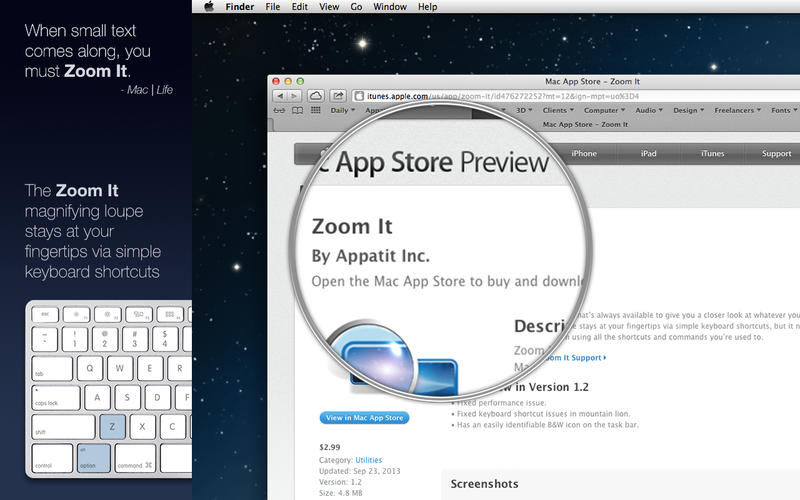
Zoom It giúp bạn dễ dàng phóng to bất kỳ vị trí nào trên màn hình để bạn theo dõi thông tin dễ dàng hơn.
Bạn có thể tùy chỉnh phím tắt để Zoom. Tùy chỉnh lăn chuột để phóng to, thu nhỏ lên đến 500%
WITH ZOOM IT YOU CAN:
• Set the app to open when you start your Mac so that the magnifying loupe is always available but stays hidden until you want to use it.
• Use all of your usual keyboard shortcuts, trackpad controls, and mouse clicks at the same time as the loupe.
• Show the loupe temporarily with a simple keyboard shortcut.
• Keep the temporary loupe on-screen just by holding the Z key, and make it disappear by simply releasing the key.
• Use a simple shortcut to make the loupe stay on-screen permanently, without holding the Z key.
• Click, type, and select inside the magnified area.
• Choose between a round or rectangular loupe.
• Quickly change the size of the loupe.
• Easily adjust the amount of magnification, up to 500%
• Customize keyboard shortcuts for all Zoom It functions.
• Take a screenshot of what the Zoom It loupe is showing.
ZOOM IT IS GREAT FOR:
• Designers who need a closer look at layout and design elements, palettes, and tools.
• People who wear reading glasses or find themselves straining to see small elements on-screen.
• Project collaborators who need to send each other detailed screenshots.
• Presenters who want to highlight specific areas of an on-screen presentation for an audience.
App Store: itunes.apple.com/us/app/zoom-it/id476272252
More info: www.zoomitapp.com
Zoom It 1.2.4







