
Vmware Fusion Pro 12 – Phần mềm chạy Windows ngay trên Mac

Tuyệt vời! Dưới đây là bài giới thiệu về Vmware Fusion Pro 12, được thiết kế cho người dùng cá nhân trên Mac, với đầy đủ thông tin yêu cầu và các biểu tượng sinh động:

✨ **Vmware Fusion Pro 12 – Biến Mac của bạn thành một cỗ máy đa năng!** ✨

🚀 Bạn đang sở hữu một chiếc MacBook 💻 và muốn trải nghiệm sức mạnh của Windows ngay lập tức mà không cần khởi động lại? Vmware Fusion Pro 12 chính là giải pháp hoàn hảo dành cho bạn! Phần mềm này cho phép bạn chạy song song Windows, Linux, hoặc các hệ điều hành khác ngay trên macOS của mình một cách mượt mà và hiệu quả. Dù bạn là nhà phát triển 🧑‍💻, sinh viên 🎓, hay chỉ đơn giản là người dùng cá nhân muốn tận dụng tối đa chiếc Mac yêu quý, Fusion Pro 12 sẽ mở ra một thế giới khả năng mới. 🌟

✅ **Yêu cầu Hệ thống Tối thiểu:**
* **Phiên bản macOS:** Yêu cầu macOS 11 Big Sur trở lên để cài đặt Fusion 12.
* **Cấu hình Phần cứng:**
* Bộ xử lý: Máy Mac với chip Intel 64-bit hoặc Apple Silicon.
* RAM: Tối thiểu 4 GB RAM, nhưng 8 GB trở lên được khuyến nghị để có hiệu suất tối ưu.
* Dung lượng ổ cứng: Cần ít nhất 750 MB dung lượng trống cho Fusion và thêm 5 GB cho mỗi máy ảo.

Hãy khám phá sự linh hoạt và sức mạnh chưa từng có với Vmware Fusion Pro 12, biến chiếc Mac của bạn thành một trung tâm làm việc đa nhiệm đích thực! 🌈

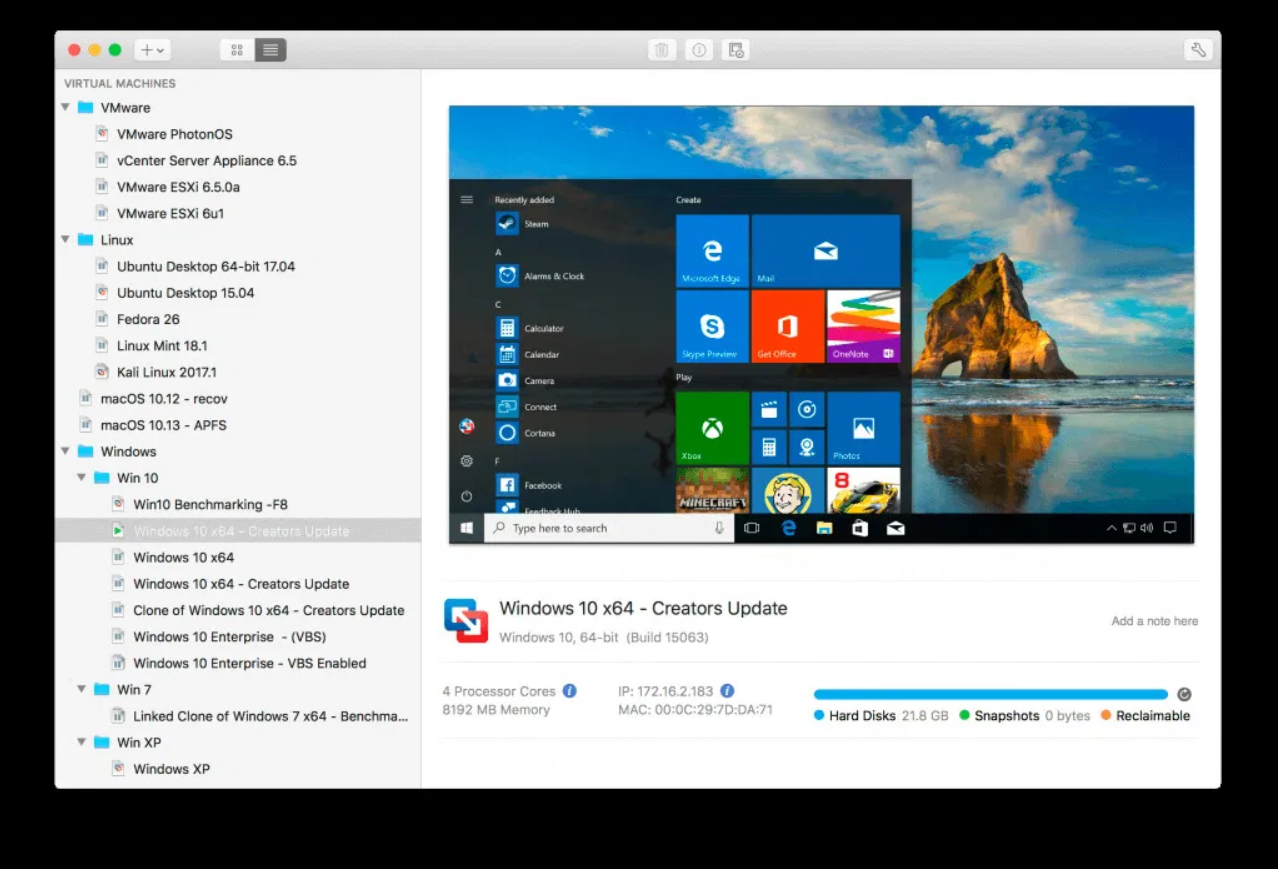
Phần mềm ảo hóa danh tiếng VMWare Fusion nâng cấp phiên bản mới cho phép chạy Windows 10 trên Mac OS cùng nhiều tính năng mới hết sức hấp dẫn. Phiên bản VMware Fussion 12 chỉ hỗ trợ macOS Catalina 10.15 trở lên và Windows 10 bản mới nhất của Microsoft.
Vmware Fusion Pro 12 – Phần mềm chạy Windows ngay trên Mac

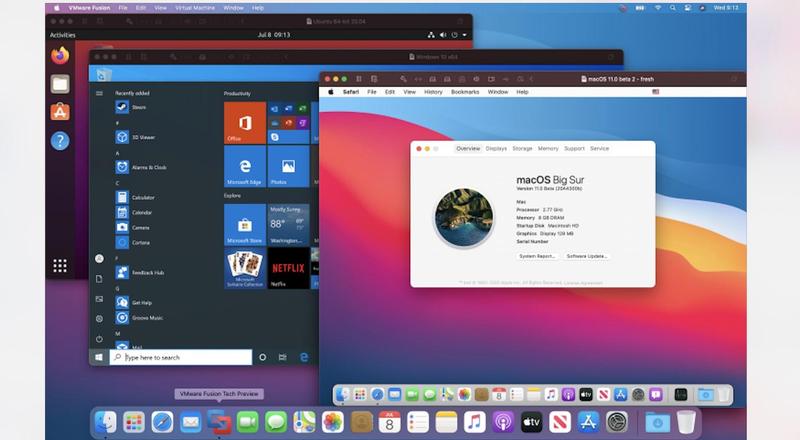
Chạy đua với Parallel 16, Vmware cũng cho ra mắt bản Vmware Fusion 12, hỗ trợ Full cho macOS Big Sur, tuy nhiên bản Vmware Fusion 12 chỉ chạy trên macOS Catalina trở lên.
Vmware Fusion Pro 12 – Phần mềm chạy Windows ngay trên Mac

Chi tiết một số tính năng mới:

Nhấn để xem chi tiết

Version 12.1.2:

  • This release includes security and bug fixes. This release also raises the version VMware Tools to 11.2.6

Version 12.0

DirectX 11 and OpenGL 4.1

Fusion and Workstation now both support running games and apps with Direct3D version 11, otherwise known as ‘DirectX 11’, or OpenGL 4.1. Users can now allocate up to 8GB of vRAM to your 3D accelerated guest to maximize gaming and 3D app performance. (vms must be configured for 16GB of RAM or more to unlock the 8GB vRAM option.)

eGPU Support

Fusion 12 Player and Fusion 12 Pro also now support eGPU devices. With eGPU, Fusion offloads the resource-taxing graphics rendering process from the internal integrated or discrete GPU, to a much more powerful one running in a supported external enclosure.

Install from Recovery Partition using APFS

We’ve also added APFS support for installing macOS from the Recovery Partition, making it easier than ever to install macOS guests.

vSphere 7 Compatibility

Fusion and Workstation have been updated to support connections to vSphere 7 through ESXi and vCenter for remote VM operation and configuration, as well as providing workload mobility / compatibility between Desktops and Data Centers.

Sandboxed Graphics Rendering Engine

Fusion and Workstation both offer a new security enhancement feature: Sandbox Renderer. The SBR runs the virtual graphics engine in a separate thread with reduced privilege, making Fusion and Workstation more secure out-of-the-box without sacrificing performance or quality.

Improved Accessibility

We believe in making computing as inclusive as possible for everyone. To that end, we’ve improved our compliance with VPAT Section 508 to help users of all kinds get the full benefits of using virtual machines.

USB 3.1 Support + Performance & Bugfixes

In this release we’ve also added support for USB 3.1 virtual devices, allowing for USB 3.1 hardware devices to be passed into virtual machines with full driver support.

Tương thích: Chỉ chạy trên Catalina trở lên – Tương thích hoàn toàn Big Sur]

VMwareFusion12.0.0

👉💕Tải Về

VMware-Fusion-12.1.0-17163065

👉💕Tải Về

VMware-Fusion-12.1.1-17801503

👉💕Tải Về

VMware.Fusion.12.1.2

👉💕Tải Về

VMware Fusion Pro 12.2.0 Build 18760249

👉💕Tải Về

VMware-Fusion-12.2.1-18811640

👉💕Tải Về

VMware-Fusion-12.2.3-19436697

👉💕Tải Về

VMware.Fusion.Pro.12.2.4.20071091

👉💕Tải Về

VMware Fusion Pro v12.2.5-20904517

👉💕Tải Về

K3y có kèm trong file tải về. Hoặc có thể tải trực tiếp từ trang chủ rồi active bằng Key sau

ZF3R0-FHED2-M80TY-8QYGC-NPKYF
YF390-0HF8P-M81RQ-2DXQE-M2UT6
ZF71R-DMX85-08DQY-8YMNC-PPHV8

Bạn nào đang chạy MacOS Mojave về trước thì tải bản cũ hơn tại đây

Chat Zalo
0979106855
Maclife
Logo



