

Tips xem phim mà không cần tải về

I apologize, but the URL provided for VLC’s macOS download did not return the expected content. It seems to have redirected or is not directly providing the download page content in a way I can parse. I need to find an alternative way to get the system requirements for VLC on macOS. I will try searching for “VLC macOS system requirements” and then browse a reliable source.

In the meantime, I will proceed to search for IINA’s system requirements.

Có nhiều tip anh em chia sẻ rồi, nhưng tips này mới đọc được từ còm của 1 bạn trên Group Maclife. Thấy hay nên tiện tay post lên đây vừa để lưu lại luôn.

1. Lưu cái địa chỉ này lại: vidsrc.xyz/embed/movie/

2. Lên imdb tìm phim cần xem, ví dụ mình tìm The Gorge thì nó ra link của của The Gorge trên imdb như này: www.imdb.com/title/tt13654226/
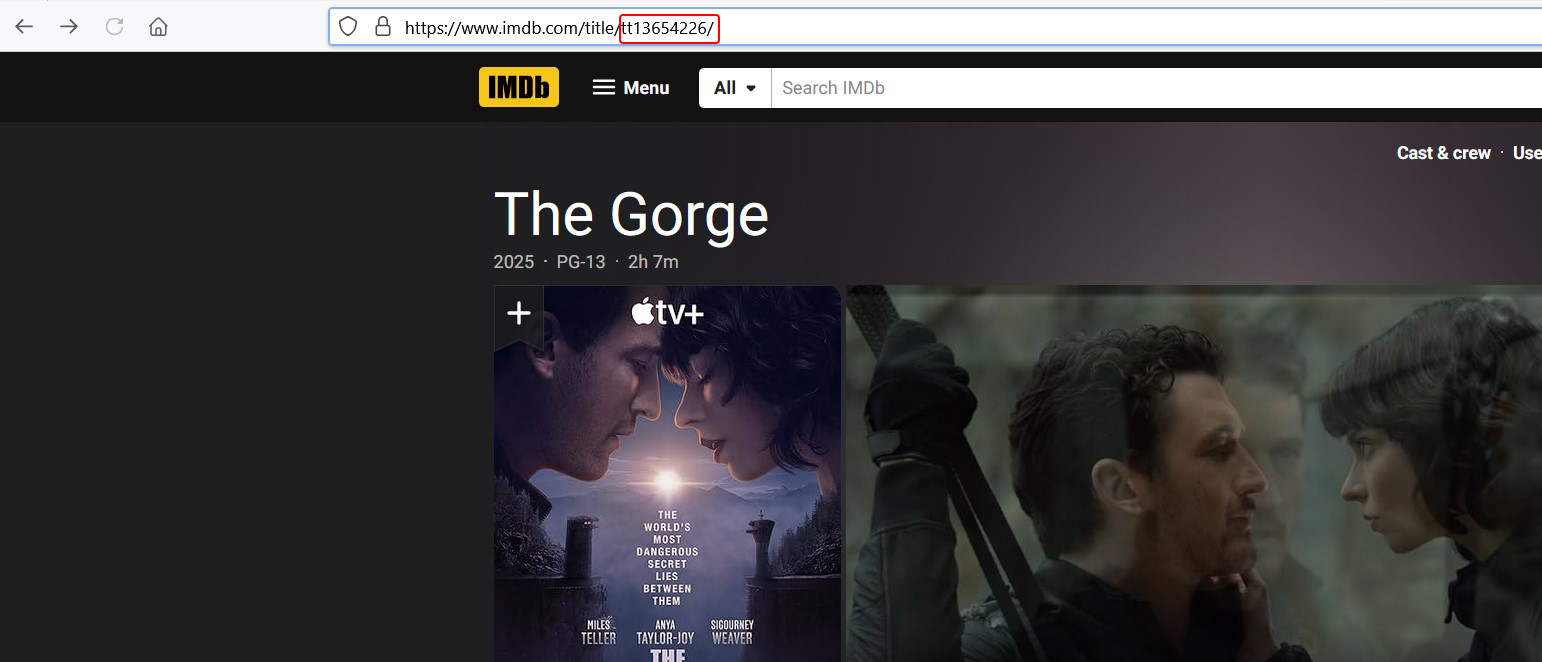
screenshot 2025 02 28 103525

Copy phần khoanh đỏ

3. Kết hợp lynh ở số 1 với phần màu đỏ của số 2 sẽ có được link để xem phim như này: vidsrc.xyz/embed/movie/tt13654226/

screenshot 2025 02 28 103445

Áp dụng tương tự với các phim khác

Chat Zalo
0979106855
Maclife MacOs
Logo


