Progressive Downloader – Trình hỗ trợ Download mạnh mẽ
Tuyệt vời! Dưới đây là bài giới thiệu về Progressive Downloader dành cho MacBook, với các yêu cầu bạn đã đưa ra:
**Progressive Downloader – Trình hỗ trợ Download mạnh mẽ hướng đến khách hàng cá nhân** 🚀
Chào mừng bạn đến với **Progressive Downloader** – giải pháp tải xuống tối ưu, được thiết kế đặc biệt để mang lại trải nghiệm mượt mà và hiệu quả cho người dùng cá nhân trên MacBook! ✨ Phần mềm này không chỉ là một trình tải xuống thông thường, mà còn là một trợ lý đắc lực, giúp bạn quản lý và tăng tốc mọi tệp tin một cách dễ dàng. 📂
Với giao diện trực quan và thân thiện, Progressive Downloader giúp bạn tải về nhạc 🎵, video 🎬, tài liệu 📄, và mọi thứ bạn cần với tốc độ nhanh chóng. Khả năng tiếp tục tải xuống bị gián đoạn và lên lịch tải về là những tính năng nổi bật, đảm bảo công việc của bạn luôn thông suốt. 📅
Để cài đặt và trải nghiệm sức mạnh của Progressive Downloader, bạn cần **macOS 10.13 (High Sierra) trở lên** 🍎. Cấu hình tối thiểu cho máy Mac của bạn bao gồm **4GB RAM** 🧠 và **200MB dung lượng ổ cứng trống** 💽. Hãy nâng cấp trải nghiệm tải xuống của bạn ngay hôm nay! 👍
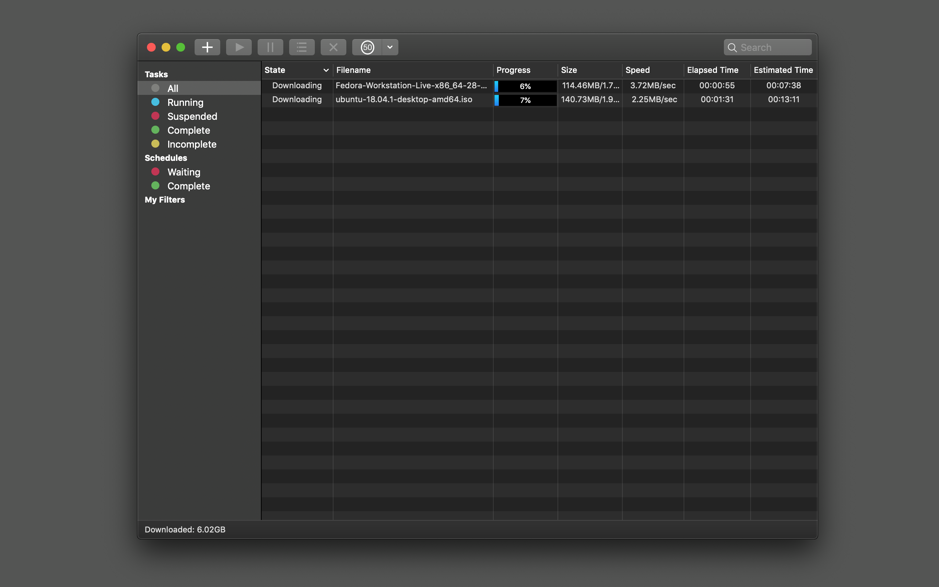
Progressive Downloader là trình quản lý tải xuống miễn phí cho Mac, hỗ trợ tải xuống đa luồng tương tự như IDM trên Windows (dù thực sự vẫn chưa thể nhanh bằng)
Key features:
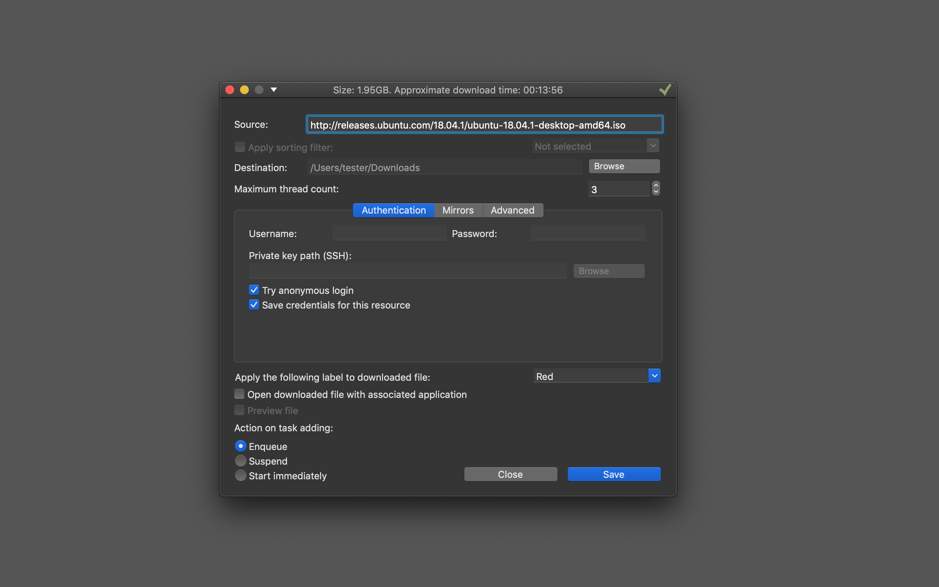
HTTP(S), FTP, FTPS and SFTP(SSH) protocols support.
Autoresume downloads. Any interrupted download will be automatically resumed when your system wakes up or the application relaunches.
Multithread downloads. Application downloads different parts of the file at the same time to make the downloading process faster.
Queue manager. Control the order of your downloads by changing download priority.
Mirror search. Automatic search for different locations of the same file to take the fastest one.
Smart drag and drop. Drag and drop a part of text with hyperlinks on the application badge to download them. You can also do a similar operation with any text or html file.
FTP, FTPS and SFTP browser. Browse and download files with double click or using drag and drop.
Compatibility: OS X 10.10 or later, 64-bit processor