

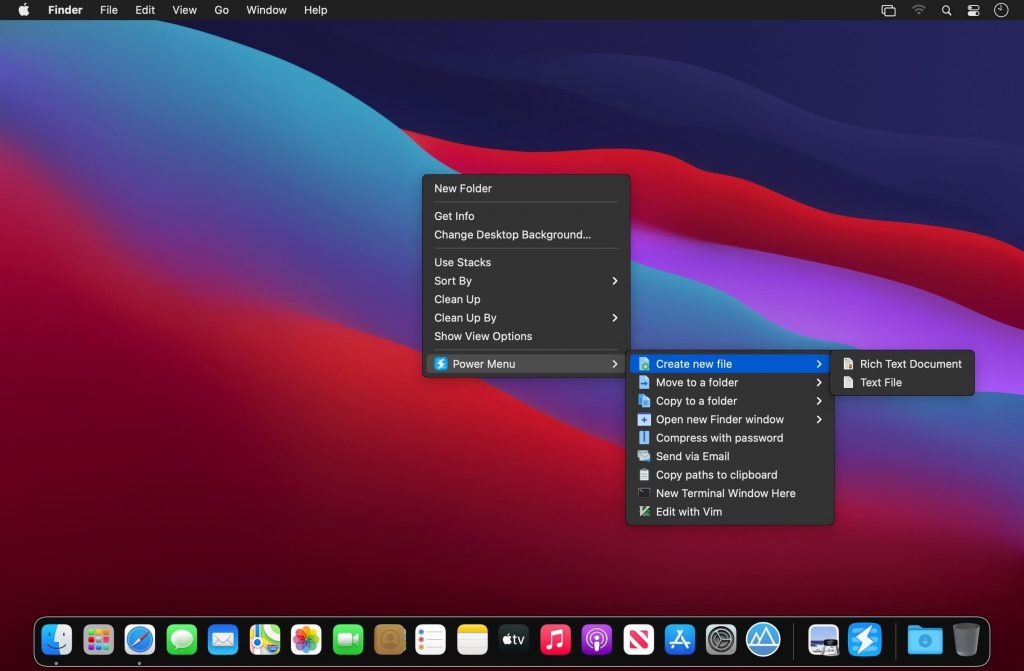
Power Menu có thể coi là tiện ích mở rộng cho Finder, giúp bạn thêm một Menu chuột phải trong Finder với rất nhiều tiện ích (xem hình)
Các tính năng chính:
One of the main things lacking from Finder is an easy way to create new files of a particular format. Power Menu makes this possible with just 2 clicks.
Move/Copy Files & Folders
Moving and copying files and folders on your Mac is made much easier with Power Menu – you can define specific folders that you regularly need to use.
Open With Specific Apps
Finder’s ‘Open With’ option often does not show the app you need, this problem is solved by our bespoke Open With action that allows you to define specific apps to always be listed.
Open New Finder Window
You can add favorite folders to this action to make it very easy to quickly open a Finder window at a specific location. This simple action can result in a huge improvement to your Finder workflow.
Securely Delete Files & Folders
Make sure you properly delete files and folders using Power Menu’s secure delete action. This permanently deletes the file and it cannot be recovered.
Send Files via Email
Select files within Finder and then use this action to attach them to an email. Requires an email client that supports this functionality.
Instantly Convert Images
You no longer need to bother opening up image editing apps to convert photos and images to a different format. This action saves you time by instantly converting image formats from within Finder itself.
Reset App Preferences
Resetting app preferences is useful when you need to restore an application back to default settings. This action makes it easy – just right click on an app and select reset.
Copy Full File Paths
The action copies the entire full file path to your clipboard.
Open a New Terminal Window
This action allows you to open a Terminal window at the location of the selected directory.
Edit with Vim
Power Menu makes it easy to open files with Vim in order to edit them.
Show & Hide Hidden Files in Finder
Easily toggle whether to allow Finder to show or hide hidden files.
Edit with Emacs
Power Menu makes it easy to open files with Emacs in order to edit them.
Open a New iTerm Window
This action allows you to open a iTerm window at the location of the selected directory.
Compress with Password
With Power Menu, you can make zip files more secure by requiring a password if anyone tries to extract them.
Even More…
We are constantly adding new actions to Power Menu. Be sure to let us know if you have any specific ideas!
Custom Shell Script Actions
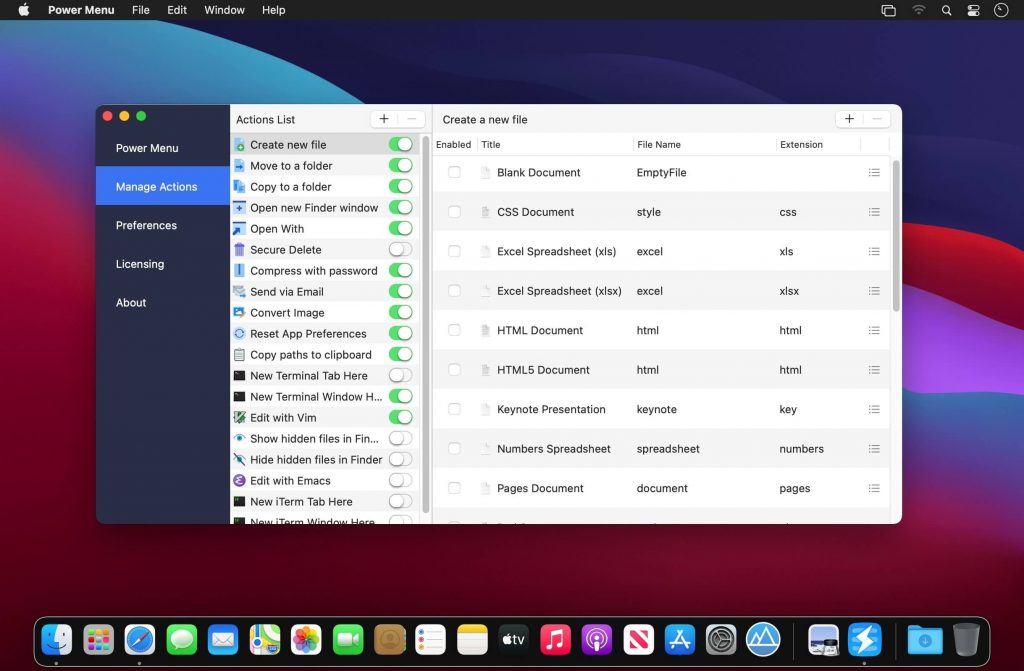
Power Menu enables users to create their own Finder actions by writing custom shell scripts. This allows for an almost limitless number of actions and for users to tailor the app to their individual needs.
Tương thích: macOS 11 trở lên [Native trên M1
Power Menu 1.0.12 [Universal M1 vs Intel]







