Trên Windows có Proshow giúp bạn tạo Slideshow ảnh, tuy nhiên Proshow lại không có bản cho Mac, thật may mắn, với Movavi Slideshow Maker, bạn có thể tạo Slideshow tương tự như Proshow với các thao tác đơn giản hơn rất nhiều.
Tất cả bạn cần làm là tải lên hình ảnh của bạn, chọn một vài thông số và phần mềm sẽ làm phần còn lại cho bạn tự động!Bạn không phải là một chuyên gia để làm việc với chương trình của chúng tôi để tạo trình chiếu trên máy Mac: nhờ giao diện trực quan, phần mềm này hoàn toàn có thể truy cập được ngay cả đối với người mới bắt đầu.
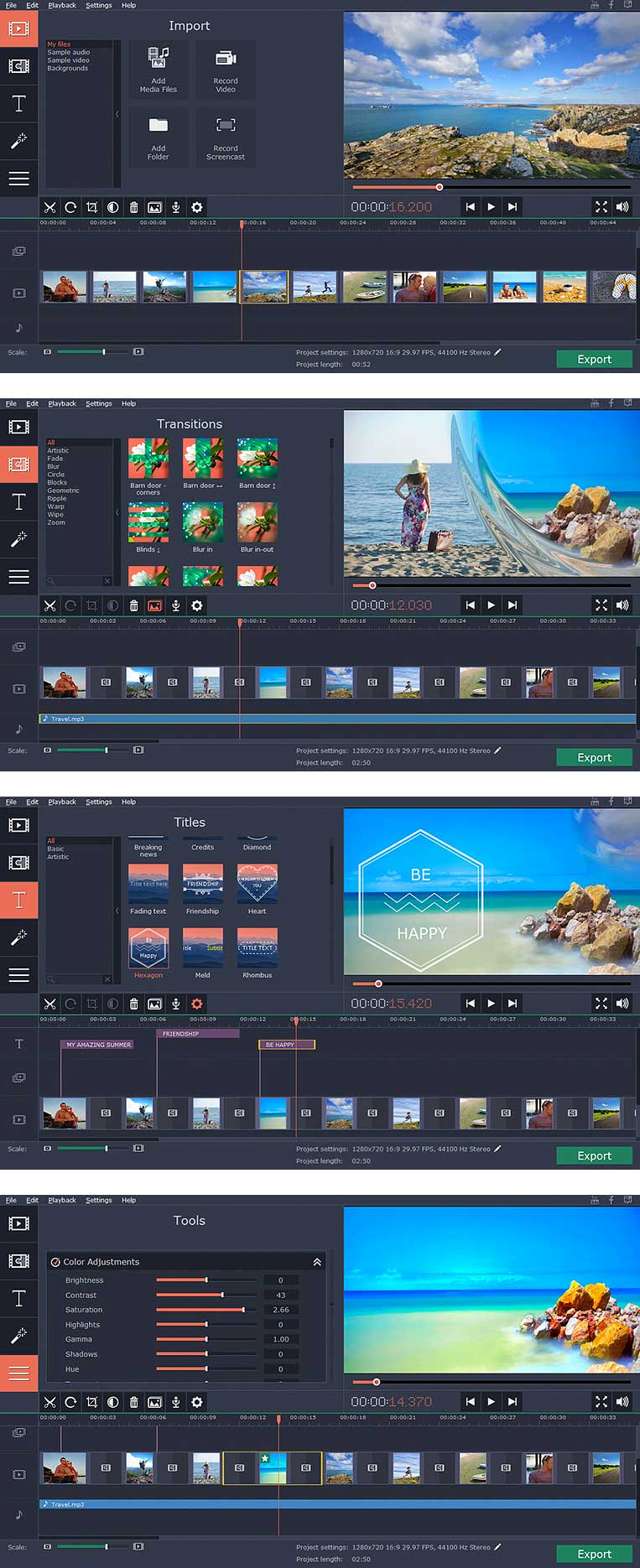
Step 1 . Add multimedia files to the program
- Upload Videos: Combine photos with video segments.
- Load images: Add images in any popular format.
- Load folders: Add entire folders of multimedia content to the program.
Step 2. Add melted
- Add fluidity to your presentation: choose from over 100 transitions to insert between photos. If you do not want to add transitions individually, just click a button and fades are automatically added.
Step 3 . Add music, slide bar adjustment
- automatically adjust the duration of the slides to fit the rhythm of the background music.
- Choose from the selection of predefined music or upload any music from your own collection. See input audio formats.
Step 4 . Superimpose text, apply filters
- Choose from more than 20 basic styles and artistic titles.
- Apply visual effects to your images and video segments from several categories.
Step 5 : Export your presentation
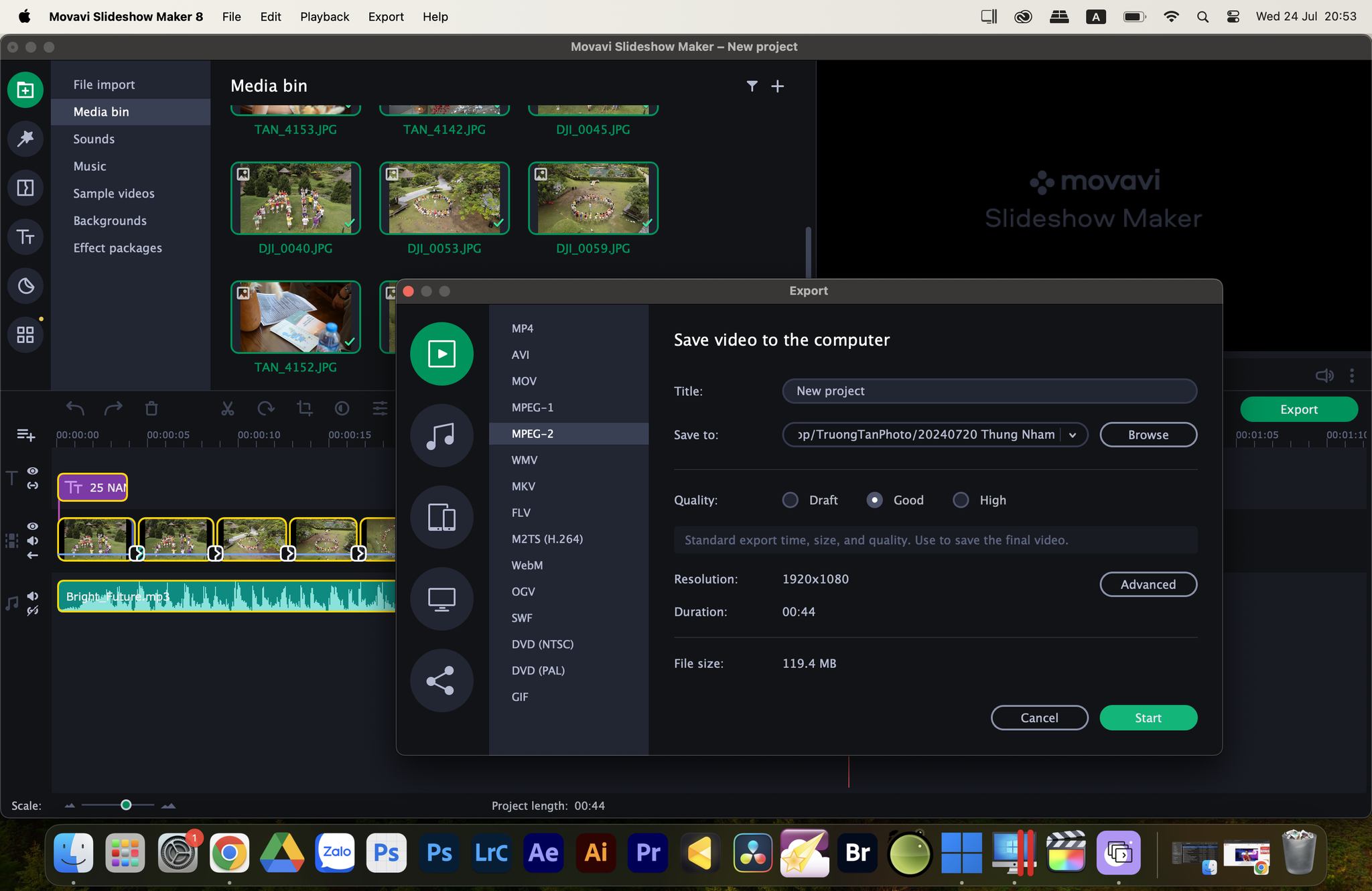
- Save your presentation as a video file in any popular formats: MP4, AVI, MOV, MPG and more.
- Prepare the video for viewing on mobile devices: Apple, Android, BlackBerry and others.
- Save your finished to load it into line with options for Facebook, YouTube and other websites production.
other functions
- Cut and rotate: Split your video into several parts, remove unwanted segments and rotate the slides.
- Improve quality: Adjust the picture quality and video manually or automatically.
- Trim and Extend: Trim the edges of an image, expand specific scenes in your videos.
- Recorded by the microphone: Add your own narration to the presentation with microphone
Movavi_Slideshow_Maker_v3.0.0
Movavi_Slideshow_Maker_4_4.2.0
Movavi_Slideshow_Maker_5_5.0.0
Movavi_Slideshow_Maker_5_5.1.0
Movavi_Slideshow_Maker_5.2.0
Movavi_Slideshow_Maker_5.3.0
Movavi_Slideshow_Maker_5.4.0
Movavi_Slideshow_Maker_6.0
Movavi_Slideshow_Maker_6.2.0
Movavi_Slideshow_Maker_6_6.3.0
Movavi_Slideshow_Maker_6_6.4.0
Movavi_Slideshow_Maker_6.4.1
Movavi_Slideshow_Maker_6.5.0
Movavi_Slideshow_Maker_6.6.0
Movavi_Slideshow_Maker_6.6.1
Movavi_Slideshow_Maker_6.7.0
Movavi_Slideshow_Maker_7.0.0
Movavi_Slideshow_Maker_7_7.2.1.
Movavi Slideshow Maker 8.0.0
Movavi Slideshow Maker 8.0.1
Bạn nào bị lỗi xuất file màn hình đen thì thử cài bản 8.0.0 và lúc export chuyển code từ H.264 về MPEG sẽ xuất được.
Bản mới nhất mở lên kéo vào Application. Sau đó mở terminal chạy thêm 2 lệnh này rồi mới chạy app được.
chmod 777 /Applications/Slideshow Maker Movavi.app/Contents/_MASReceipt
Xattr -cr /Applications/Slideshow Maker Movavi.app