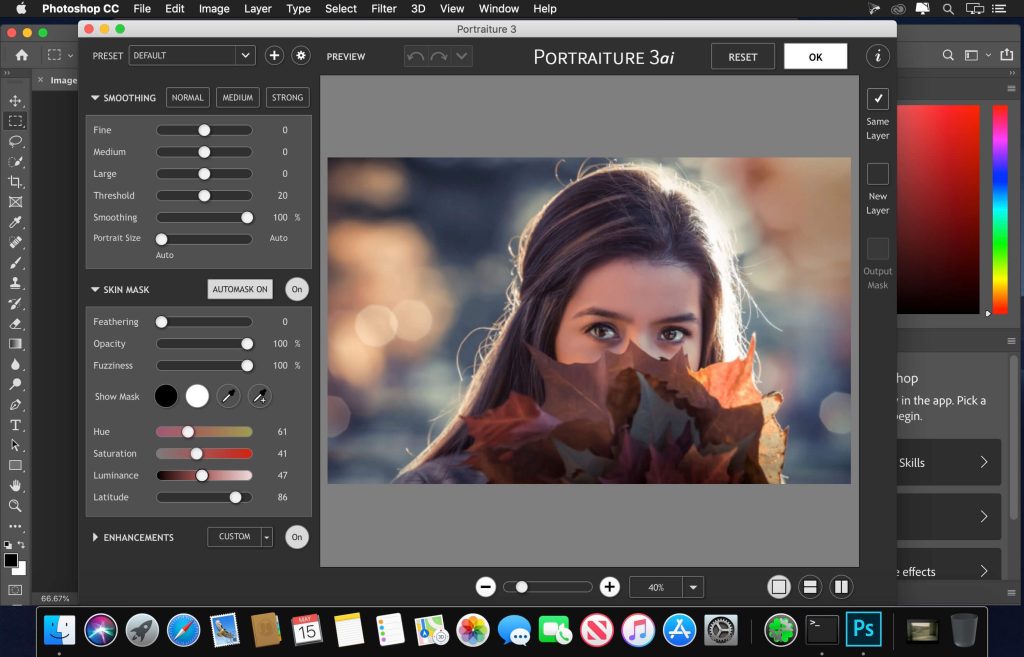
Imagenomic Professional Plugin Suite for Adobe Photoshop – Trọn bộ công cụ của Imagenomic
✨ Khám phá sức mạnh sáng tạo không giới hạn với **Imagenomic Professional Plugin Suite** – bộ công cụ chuyên nghiệp đỉnh cao dành riêng cho Adobe Photoshop, nay đã sẵn sàng cho người dùng cá nhân trên MacBook! 🚀
Bộ sưu tập này tập hợp các plugin đột phá như Portraiture 🎨 (làm mịn da tự nhiên), Noiseware 🌟 (khử nhiễu hiệu quả), và Realgrain 🎞️ (hiệu ứng phim ảnh độc đáo), giúp bạn nâng tầm mọi bức ảnh. Tự động hóa các tác vụ phức tạp, loại bỏ khuyết điểm, làm mịn da một cách tinh tế mà vẫn giữ trọn kết cấu gốc, mang đến vẻ đẹp hoàn hảo cho ảnh chân dung. ✨
Đặc biệt, bộ công cụ này được tối ưu hóa cho MacBook, mang đến hiệu suất mạnh mẽ và quy trình làm việc mượt mà. 💨
**Yêu cầu hệ thống:**
* **macOS:** Yêu cầu từ **macOS 13.0 trở lên** (Ventura, Monterey, Big Sur, Catalina) để trải nghiệm tốt nhất. 💻
* **Cấu hình tối thiểu:** Máy Mac với bộ xử lý **64-bit Intel hoặc Apple Silicon (M1, M2, M3)** 🍎, **8 GB RAM** (khuyến nghị) và khoảng **200 MB dung lượng ổ cứng trống** để cài đặt. 💾
Với Imagenomic Professional Plugin Suite, bạn sẽ dễ dàng đạt được kết quả chỉnh sửa ảnh chuyên nghiệp, tiết kiệm thời gian và khơi nguồn cảm hứng sáng tạo bất tận. 💡
Bộ sưu tập Plugin của hãng Imagenomic, được repack trong 1 file .pkg duy nhất
Bộ này bao gồm:
– Imagenomic Professional Plugin Suite cho Adobe Photoshop và Photoshop Elements
– Imagenomic RealGrain cho Adobe Photoshop và Photoshop Elements
– Imagenomic Noiseware cho Adobe Photoshop và Photoshop Elements
– Imagenomic Portraiture cho Adobe Photoshop và Photoshop Elements
– Imagenomic Portraiture cho Adobe Lightroom, Photoshop
Bản mới nhất cần chép file cài vô đâu đó trong ổ cứng (Ví dụ desktop) rồi chạy lệnh xattr -cr cho nó, sau đó chuột phải chọn open để cài. Ai ko biết xài lệnh này thì lên group tìm hoặc đọc kĩ ô chú ý đóng khung ở cuối các bài viết.