iBoysoft MagicMenu – Tùy chỉnh menu chuột phải trên Mac

**iBoysoft MagicMenu – Tùy chỉnh menu chuột phải trên Mac hướng đến khách hàng cá nhân**

✨ Nâng tầm trải nghiệm sử dụng Mac của bạn với iBoysoft MagicMenu! 🚀 Phần mềm mạnh mẽ này cho phép bạn tùy chỉnh menu chuột phải (context menu) trên macOS một cách dễ dàng, mang đến sự tiện lợi và hiệu quả tối ưu cho công việc sáng tạo cũng như các tác vụ hàng ngày. 🖱️

Với iBoysoft MagicMenu, bạn có thể:
* **Tạo tệp mới nhanh chóng:** 📄 Hỗ trợ đa dạng định dạng như TXT, Doc, Excel, Keynote, Pages, Python, v.v.
* **Di chuyển và sao chép tệp tức thì:** 📁 Thêm thư mục vào menu “Move To” / “Copy To” để chuyển tệp đến đích chỉ với một cú nhấp chuột.
* **Truy cập nhanh:** ⚡ Thiết lập lối tắt đến các ứng dụng, tệp, thư mục hoặc trang web yêu thích.
* **Gỡ cài đặt ứng dụng triệt để:** 🗑️ Loại bỏ ứng dụng và các tệp liên quan một cách sạch sẽ.
* **Và nhiều tính năng hữu ích khác:** 🖼️ Chuyển đổi định dạng ảnh, tìm trùng lặp, nén tệp, chụp màn hình, v.v.

✅ **Yêu cầu hệ thống:**
* **Phiên bản macOS:** Tương thích với macOS 10.13 High Sierra trở lên, bao gồm cả các phiên bản mới nhất như Sonoma, Sequoia. 💻
* **Cấu hình tối thiểu:** Hoạt động tốt trên cả máy Mac dùng chip Apple Silicon hoặc bộ xử lý Intel Core. 💡

Hãy biến menu chuột phải mặc định trên Mac của bạn trở nên thông minh và hữu ích hơn bao giờ hết với iBoysoft MagicMenu! 🎉

iBoysoft MagicMenu là một công cụ nhỏ giúp tùy chỉnh và nâng cao menu chuột phải trên Mac.Nó cho phép thêm các chức năng mới và cải tiến vào bảng điều khiển của bạn bằng cách nhấp chuột phải, nhấn đúp vào trackpad hoặc nhấn vào góc dưới cùng bên phải trackpad của MacBook Air hoặc MacBook Pro.

Tính năng chính:
Nhấn vào đây để xem chi tiết

Add Useful Shortcuts to Right Click Menu on Mac
macOS provides limited options in the control click menu. iBoysoft MagicMenu can add more useful options to improve your work efficiency and give you a clearner desktop.

Create a New File
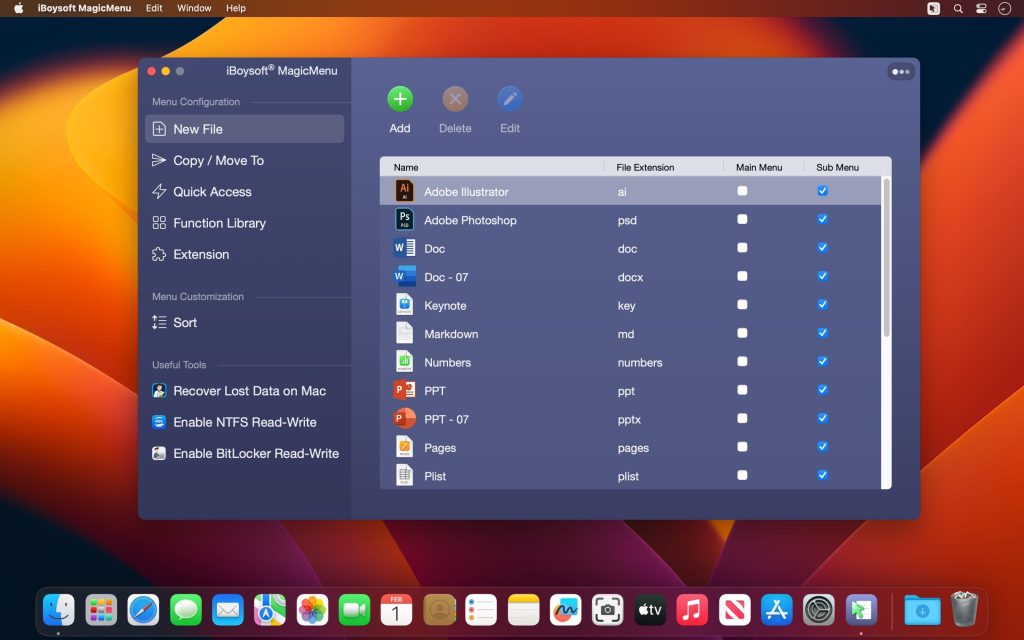
It lets you add a shortcut to create a new file that you frequently need including doc, docx, xls, xlsx, txt, pdf, ppt, Keynote, Pages, Markdown, and Numbers when you right click your mouse on the blank space on your desktop or in an open folder. There is no need to open applications for new file creation.
iBoysoft MagicMenu also allows users to import a blank or pre-edited template file from a local folder as a shortcut if wanted file types are not listed by default.

Move Files Quickly
Mac allows you to move a file to another destination by seleting and dragging it. It can be inconvenient if the target folder is hidden. iBoysoft MagicMenu helps you add folders to Move To menu and you can move a file to a target path with a single right click.
This right click booster can add local folders, network drives, and external devices to your Mac control click menu to enable a more efficient file transferring. Moving a file will delete the file in its original folder.

Copy Files Faster
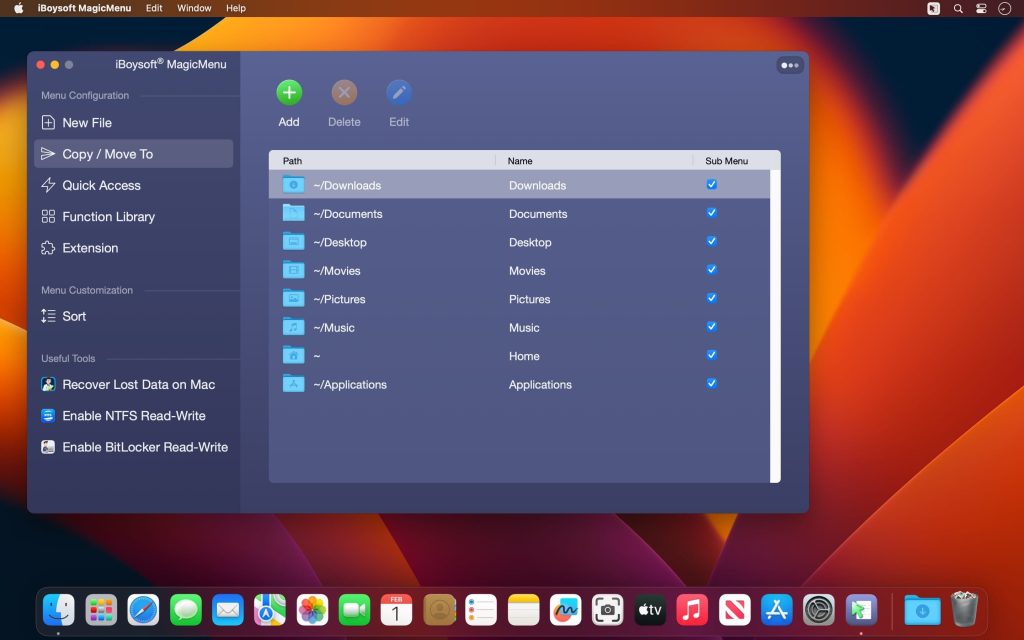
Are you still using Command+C and Command+V to copy and paste a file from one folder to another? You can add a folder shortcut to Copy To menu with this Mac right click enhancer, which helps you copy files to a location faster.
iBoysoft MagicMenu allows you to add Mac’s Library folders like Downloads, Documents, Desktop, Applications, Pictures, and Movies, user-created folders, or external disks to your right click menu for file copying.

Quick Access to an Item
You can add applications, folders, disks, browsers, and webpage links to the control panel of your right click.
You can easily access the apps you frequently use without opening Finder or Launchpad. You can open your work files with a right click instead of finding it in Finder or external disks. You can browse a webpage without saving a bookmark on a browser.

Completely Uninstall Unwanted Applications
If you want to free up disk space, reinstall misbehaving software, or delete an old app on Mac, it’s essential to remove all components of the program. This usually requires you to move the unwanted app to the Trash and go over about 9 folders to delete the leftovers associated with it.
However, powered by iBoysoft MagicMenu, you can completely uninstall any unwanted third-party apps with three clicks. Simply right-click an app in the Applications folder, select Uninstall, and tap Uninstall again to fully get rid of it.

Personalize Right Click Menu
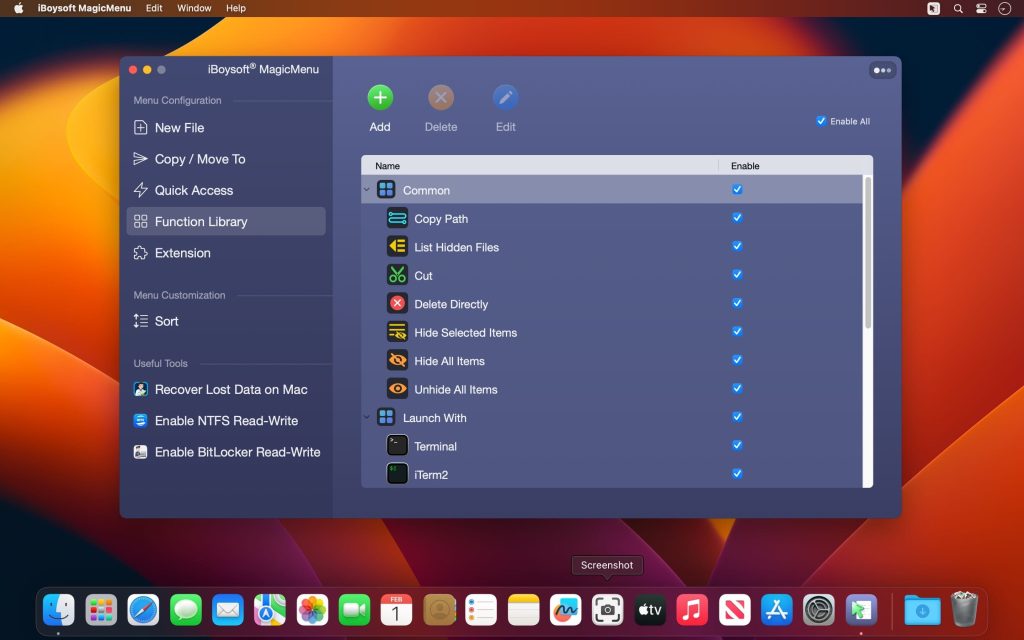
iBoysoft MagicMenu V2.0 update adds many more useful features in Function Library such as screen recording, screen capture, hide/unhide files, copy file path and cut file to the right click options on Mac.
This Mac right click enhancing tool supports personlizing your own right click menu by adding user-built functionality and managing categories.

Mac Right Click Booster
If you feel the options in the current right click menu are not enough, iBoysoft MagicMenu can help you extend the control panel of your right click menu on Mac.
It adds new features such as creating a files, copying or moving files to another location, uninstalling unwanted apps, and offering quick access to an item. If you need extra options and customization of your right click context menu, download iBoysoft MagicMenu now.

Trang chủ: iboysoft.com/magic-menu/

Tương thích: macOS 10.13 or later

iBoysoft MagicMenu 3.0

👉💕Tải Về

Chat Zalo
0979106855
Maclife
Logo