Hướng dẫn tắt gatekeeper trên macbook
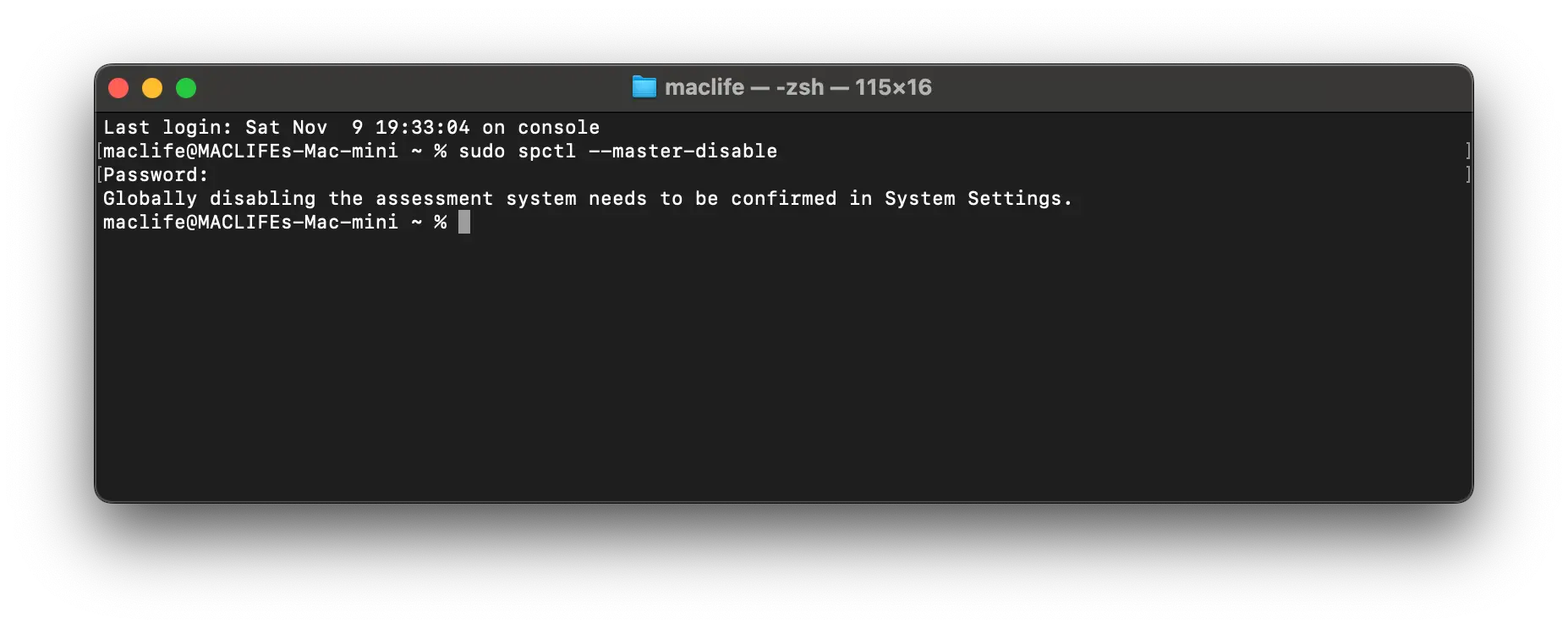
Tắt Gatekeeper tạm thời bằng Terminal
Dành cho khi bạn cần cài nhiều app ngoài nguồn chính.
-
Mở Terminal (vào Spotlight gõ
Terminalhoặc mở trongApplications → Utilities). -
Gõ lệnh:
sudo spctl --master-disable
-
Nhập mật khẩu đăng nhập Mac (sẽ không hiển thị ký tự khi gõ, cứ nhập xong nhấn Enter).
-
Sau đó, vào System Preferences → Security & Privacy → General, bạn sẽ thấy tùy chọn:
“Allow apps downloaded from: Anywhere (Bất kỳ đâu)”
→ chọn Anywhere là xong.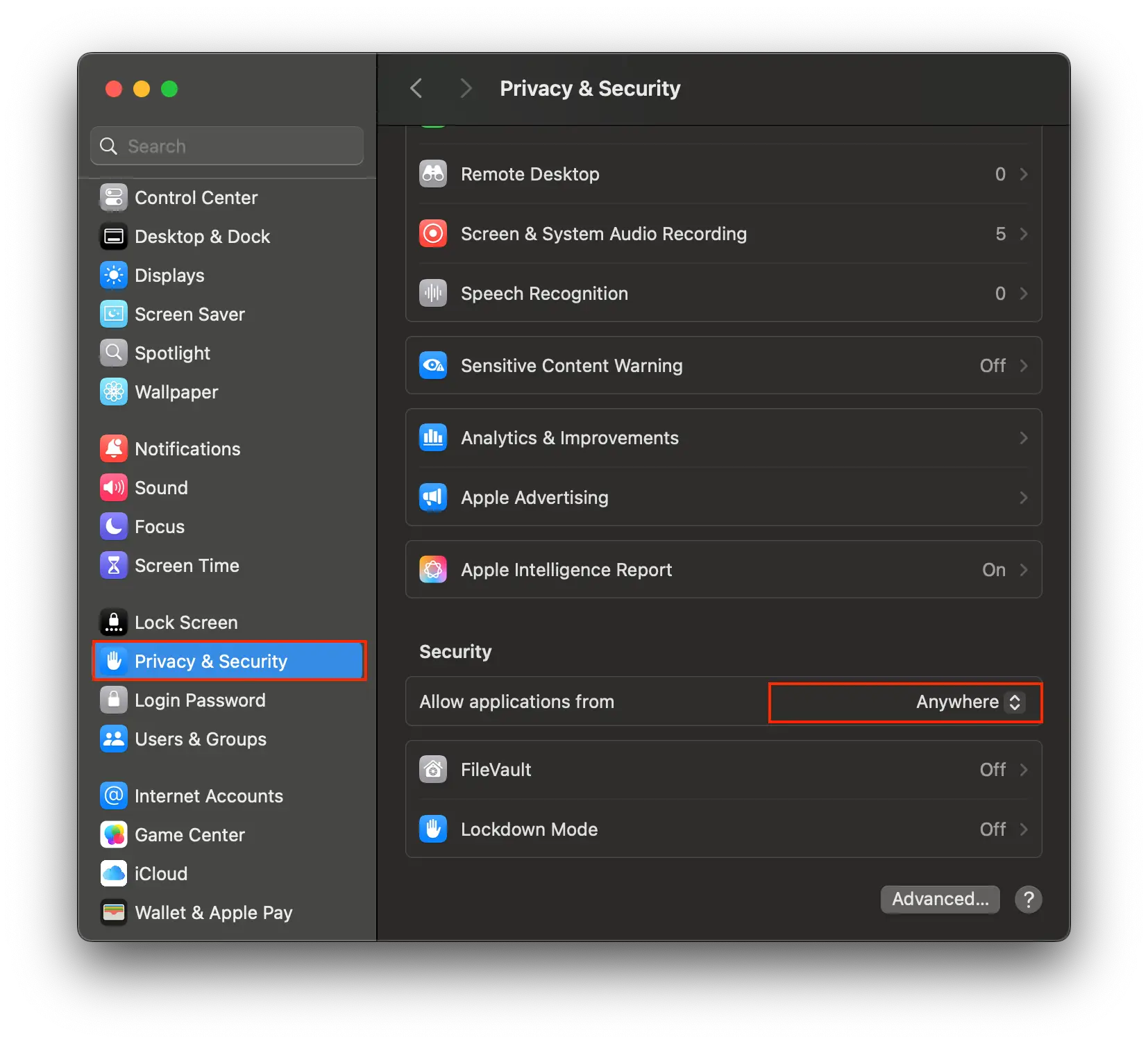
🟢 Bật lại Gatekeeper (khi cần an toàn hơn):