## FigrCollage – Sáng tạo ảnh ghép độc đáo cho riêng bạn trên MacBook! ✨
Bạn muốn biến những bức ảnh kỷ niệm thành những tác phẩm nghệ thuật độc đáo và đầy cá tính? Hãy khám phá **FigrCollage** – phần mềm tạo ảnh ghép hình dạng đỉnh cao dành riêng cho người dùng MacBook! 💖 Với FigrCollage, bạn có thể dễ dàng tạo ra những bức ảnh ghép ấn tượng theo hình dáng bất kỳ: trái tim 💖, con số 🔢, chữ cái 🅰️, hoặc thậm chí là tên của bạn! ✍️
Phần mềm yêu cầu **macOS 10.11 (El Capitan) trở lên** để cài đặt, đảm bảo tương thích mượt mà trên các phiên bản hệ điều hành mới nhất của Apple. 🍎 Cấu hình tối thiểu để trải nghiệm FigrCollage một cách tốt nhất là máy Mac có dung lượng **59 MB** trống. 🚀
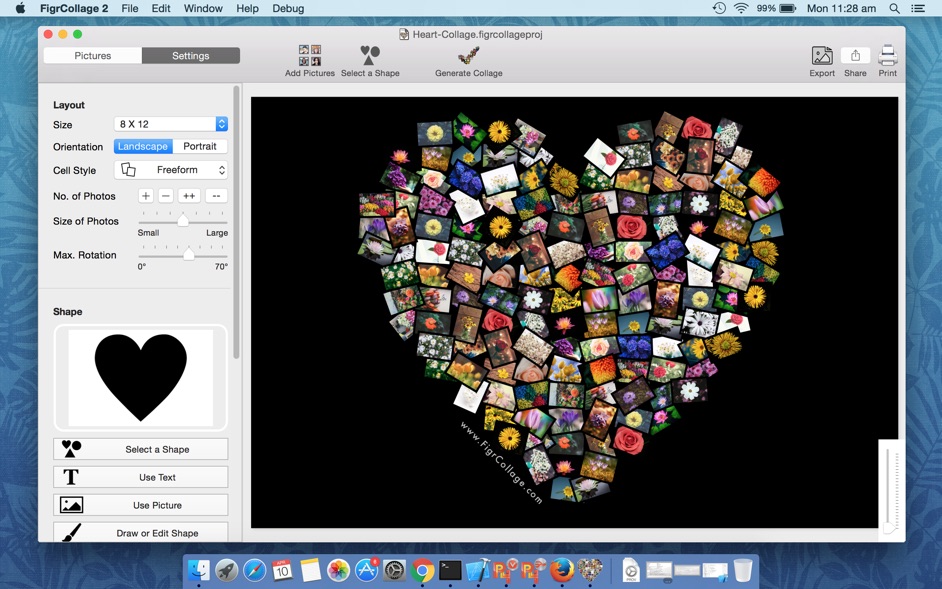
FigrCollage nổi bật với giao diện thân thiện, quy trình 3 bước đơn giản: chọn hình dạng, thêm ảnh và hoàn tất! 🎉 Không cần kỹ năng thiết kế chuyên nghiệp, ai cũng có thể tạo ra những bức ảnh ghép đẹp mắt chỉ trong vài phút. ⏱️ Chia sẻ những khoảnh khắc đáng nhớ theo một cách hoàn toàn mới! 📸🌟
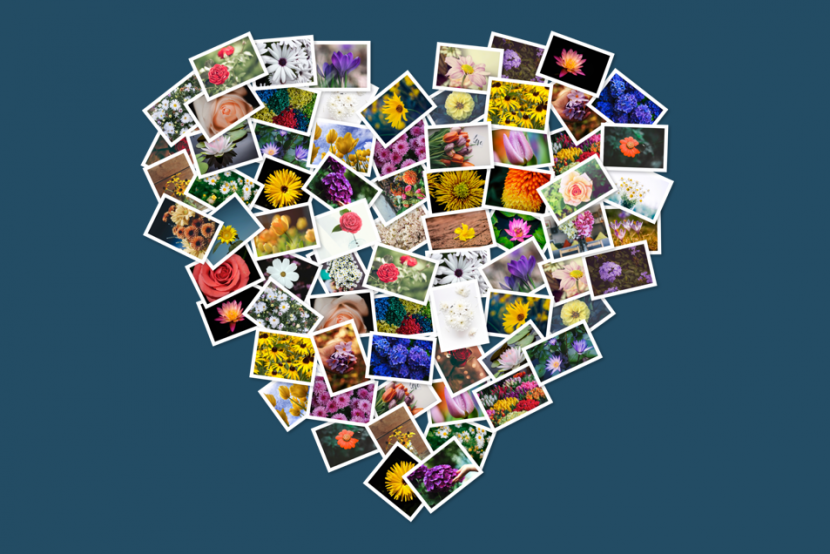
Cũng không biết gọi kiểu tạo ảnh như này là gì nữa. Với FigrCollage bạn có thể sắp xếp nhiều ảnh thành 1 hình theo kiểu nào đó, ví dụ số, hình trái tim, 1 từ, ký tự nào đó…
Khó diễn tả nhưng xem hình sau các bạn sẽ hiểu
Tính năng chính
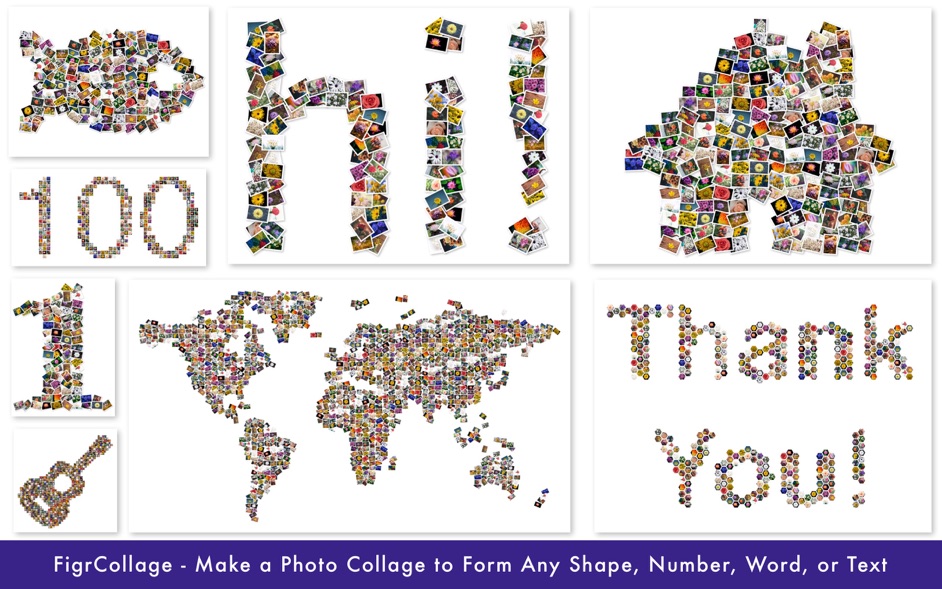
Arrange pictures to form any shape
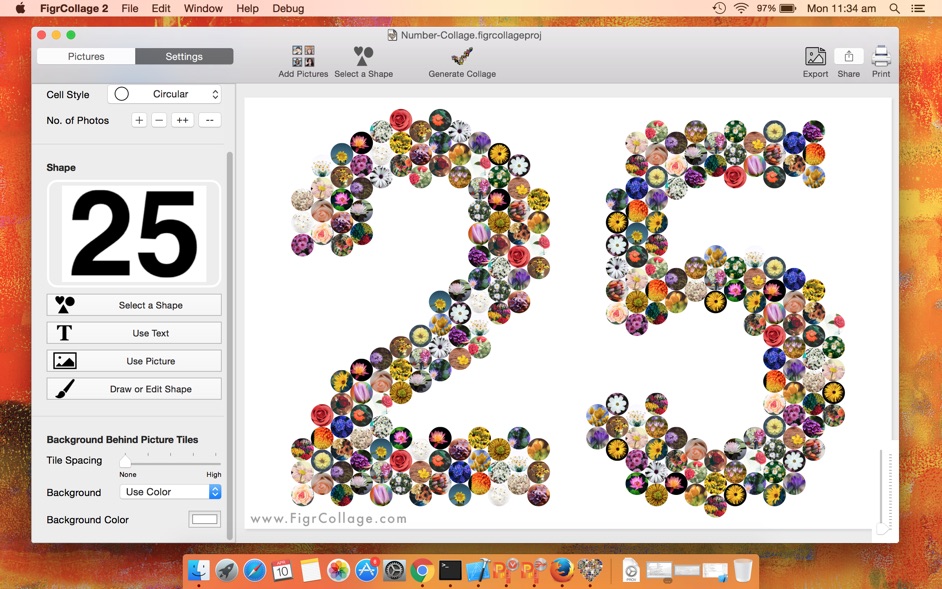
Arrange pictures to form any number
Arrange pictures to form any word or text
Large number of standard shapes to choose from
Use your own shapes
Layout pictures in a freeform photo pile or in a grid of rectangular/hexagonal/circular photos
Set a background color or use a transparent background
Select from a wide range of output sizes
Specify custom output sizes
Landscape or portrait collages
Export collage as JPEG, PNG, or TIFF to send it to a print shop or to print it from the local printer
Export collage to Photos app
Set collage as Desktop Picture
Share photo collage on Facebook, Twitter, Flickr, Email, and AirDrop