

**Cocktail Catalina Edition – Tối ưu, tăng tốc macOS Catalina hướng đến khách hàng cá nhân**
🚀 **Giải phóng sức mạnh cho MacBook của bạn với Cocktail Catalina Edition!** 🚀
Bạn đang sử dụng macOS Catalina và muốn chiếc MacBook của mình hoạt động mượt mà, nhanh chóng hơn? 💨 Cocktail Catalina Edition chính là giải pháp toàn diện dành cho bạn! Đây là một công cụ bảo trì và tối ưu hóa hệ thống mạnh mẽ, được thiết kế đặc biệt để mang lại hiệu suất đỉnh cao cho máy Mac cá nhân. ✨
Với giao diện trực quan và dễ sử dụng, Cocktail giúp bạn dọn dẹp, sửa chữa và tinh chỉnh hệ thống một cách hiệu quả. 🧹🔧 Từ việc xóa các tệp rác, cache không cần thiết đến việc sửa lỗi hệ thống, mọi thứ đều trở nên đơn giản hơn bao giờ hết. 🌟
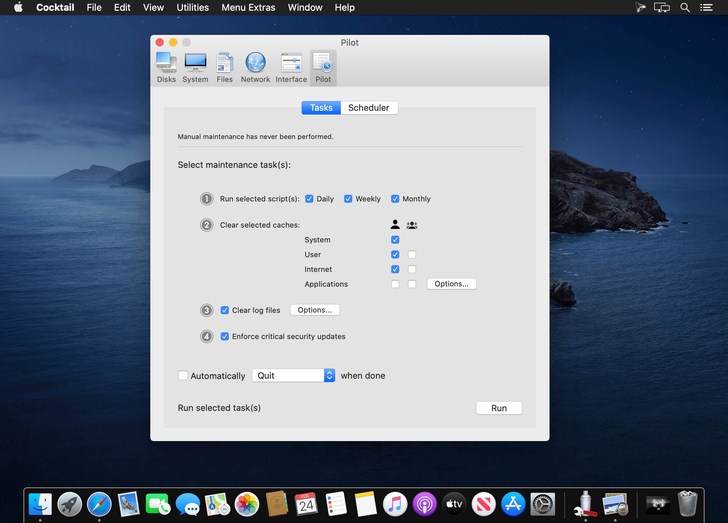
Đặc biệt, tính năng “Pilot Mode” tự động hóa quy trình bảo trì, giúp bạn tiết kiệm thời gian và luôn giữ cho máy Mac ở trạng thái tốt nhất. 🤖💯
**Yêu cầu hệ thống:**
* **Phiên bản macOS:** Yêu cầu cài đặt trên **macOS 10.15 Catalina**. 🍏
* **Cấu hình tối thiểu:** Tương thích với các máy Mac sử dụng **bộ xử lý Intel**. 💻
Hãy để Cocktail Catalina Edition giúp bạn tận hưởng trải nghiệm macOS mượt mà và ổn định nhất! 🎉👍
Cocktail phiên bản dành cho macOS Catalina là ứng dụng chuyên để tối ưu hóa hệ thống, dọn rác, tăng tốc cho macOS Catalina. Phần mềm này khá phổ biến, có phiên bản hỗ trợ riêng cho từng phiên bản macOS
Chi tiết tính năng:
Disks
- Automatically check SMART disk health status
- Enable or disable logging
- Repair disk permissions
- Reset permissions on the home directory and access control lists
- Set the sleep drive (spindown)
- Enable or disable the Sudden Motion Sensor
System
- Run the periodic maintenance scripts
- Cleaning inactive memory and optimize the use of virtual memory
- Enable or disable virtual memory swapping
- Management Spotlight indexing
- Erase codes Spotlight
- Change Time Machine preferences
- Rebuild Launch Services database
- Change the startup mode, or set the startup delay
- The strength of the empty basket
- Mute start
- Disable Notification Center
Files
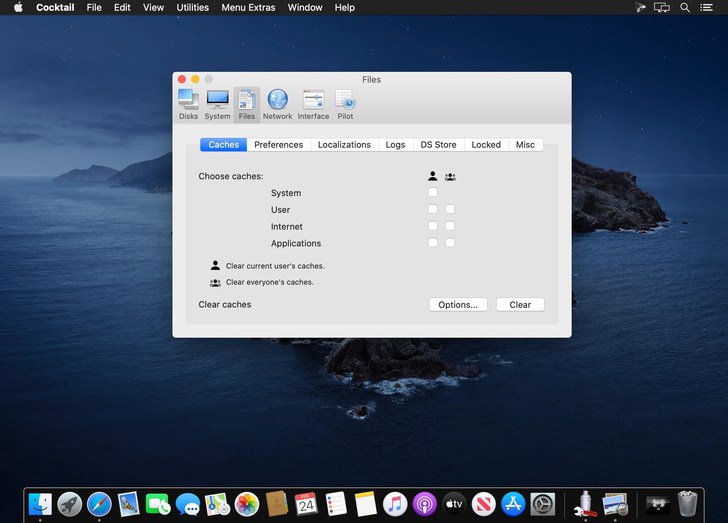
- Clear the cache system
- Clear cache user
- Clear cache fonts
- Clear virtual memory pagefile
- Clear temporary files
- Clear Internet cache
- Clear Cookies, download lists, form values and history files
- Clear cache Adobe Flash Player and cookies
- Search corrupted file settings
- Delete unnecessary localization
- Clean and manage (view, print and save) the log files
- Clear the DNS cache
- Delete files invisible DS Store
- Delete locked or inaccessible items
Network
- Changing the speed, duplex, and MTU network cards
- It is easy to optimize the network settings for common types of connection
- Change the IP configuration settings
- Configure built (File Sharing) OS X file server
Interface
- Customize the appearance and the possibility of Finder, Dock, a login
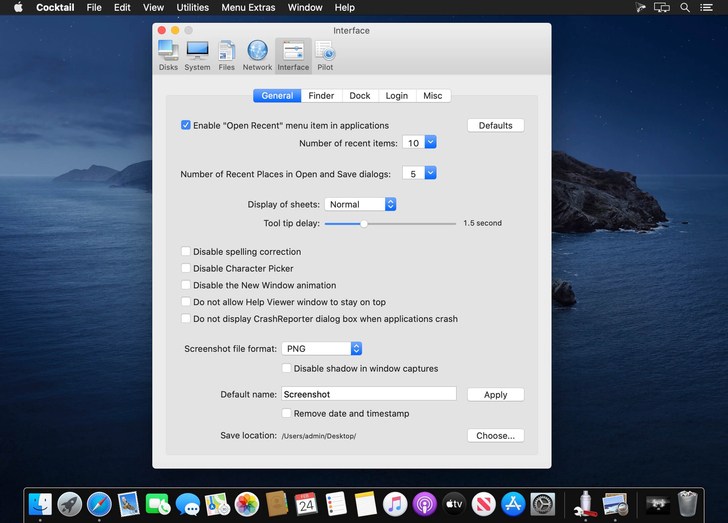
 window, and other system services
 - Change hidden settings Safari, Mail, Itunes, and QuickTime X
- Setting the default file save location in the allowed application ICloud
Cocktail.Catalina.Edition.v13.1
Cocktail_Catalina_Edition_v13.2.4
Cocktail_Catalina_Edition_v13.2.6