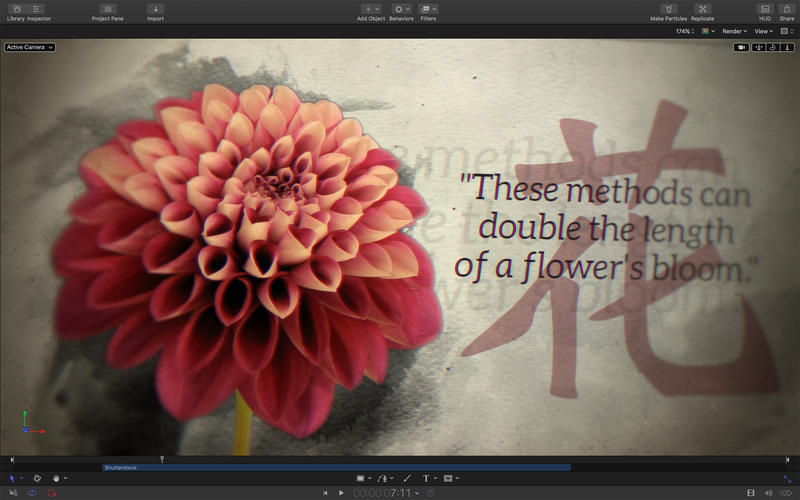
Phần mềm được thiết kế chuyên dụng cho biên tập Video, Motion là một công cụ tạo hiệu ứng chuyển động mạnh mẽ, giúp bạn dễ dàng tạo các hiệu ứng 2D, các Title 3D sinh động, hiệu ứng chất lòng, các hiệu ứng đặc biệt khác theo thời gian thực…
Chi tiết tính năng:
Nhấn vào đây để xem chi tiết
2D and 3D Titles
- Import 360° media and design 360° titles, generators, and effects
- Build 3D titles from scratch, design them with easy-to-use templates, or instantly convert any existing 2D title to 3D
- Easily create beautiful titles that you can animate using more than 100 drag-and-drop behaviors and intuitive text animation tools
- Choose from a large collection of text styles to create stunning designs in one click
- Customize 3D titles to create endless looks with over 90 Apple-designed 3D materials including various metal, wood, and stone surfaces
- Vector-based characters scale, skew, and rotate with pristine sharpness, while the modern engine in Motion lets you design in real-time
Motion Graphics for Final Cut Pro
- Save any title, effect, transition or generator and access it directly in Final Cut Pro
- Customize Final Cut Pro titles, effects, and transitions by opening them in Motion
- Create Smart Motion Templates with any combination of single parameters and rigs, which let you control a group of parameters with a simple slider, pop-up menu, or checkbox in Final Cut Pro
- Save any 360° motion graphic and access it immediately from the effects browser in Final Cut Pro
Stunning Effects
- Choose from more than 230 behaviors for natural-looking motion without keyframes
- Track a moving object in a video clip with the point tracking and match move feature
- Create an accurate chroma key in a single step with the Keying filter
- Use SmoothCam to eliminate camera jitters and image stabilization to smooth bumpy shots
- Create your own paintbrushes and 3D strokes or use one of 140 brush presets
- Design your own particle emitters or choose from 200 presets for real-world effects such as smoke and sparkles
- Choose a circle or rectangle mask or use the bezier and freehand mask tools to quickly draw and adjust control points for rotoscoping
- Use the intuitive keyframe tools in Motion for precise control of the timing and position in your animation
- Apply 360° effects including blurs, glows, and more
- Harness a thriving ecosystem of third-party FxPlug plug-ins with custom interfaces for tasks like advanced tracking, advanced color correction, and more
Effortless 3D
- Transition from 2D to 3D space by adding cameras
- Create 3D scenes within a 360° project for ultra-realistic 360° environments
- Set up realistic shadows that animate dynamically with the movement of cameras and lights
- Track objects or groups of objects with drag-and-drop ease by applying the Camera Framing behavior
- Selectively define focus as an object moves in 3D space
- Turn any shape, video plane, or paint stroke into a reflective surface in 3D space
Breakthrough Speed, Quality, and Output
- Import wide color HDR images, view them on supported Mac computers, and export in standard Rec. 709 or wide Rec. 2020 color space
- Improved performance and efficiency on Mac computers with Apple silicon
- Export projects in multiple formats in the background using Compressor Bundles

Motion 5.3.2 [Phiên bản này chỉ hỗ trợ macOS Sierra 10.12.4 trở lên]
Maclife Download
Motion 5.4.1 (Chỉ chạy trên macOS 10.13.2 về sau)
Maclife Download
Motion 5.4.2 (Chỉ chạy trên Macos 10.13.6 về sau)
Maclife Download
Motion 5.4.3 (Chỉ chạy trên Macos 10.13.6 về sau, hỗ trợ mojave 10.4.3)
Maclife Download
Motion 5.4.4 (Chỉ chạy trên Macos 10.14.6 về sau, hỗ trợ Catalina 10.15)
Maclife Download
Motion 5.4.5
Maclife Download
Motion 5.4.6
Maclife Download
Motion 5.4.7
Maclife Download
Motion 5.5 [Chỉ chạy trên macOS 10.15.6 trở lên – Tương thích Big Sur]
Maclife Download
Motion 5.5.1
Maclife Download
Motion_5.5.2 [Mega]
Maclife Download
Motion_5.5.3 [Mega]
Maclife Download
Motion_5.6 [Chỉ chạy trên macOS Big Sur 11.5.1 trở lên]
Maclife Download
Motion 5.6.1
Maclife Download
Motion_5.6.2
Maclife Download
Motion v5.6.3 [macOS 12 trở lên]
Maclife Download
Motion_5.6.4
Maclife Download
Motion_5.6.5
Maclife Download
Motion_5.6.6
Maclife Download
Motion_5.6.7
Maclife Download
Motion 5.8
Maclife Download
Motion_5.9
Maclife Download
Motion_5.10
Maclife Download
Motion_5.11
Maclife Download
Các bản thấp hơn dành cho các bạn có OS thấp hơn xem tại link bên dưới:
maclife
Phần mềm Post trên MacLife được tổng hợp từ nhiều nguồn. Phục vụ cho mục đích dùng thử. Nếu thấy apps có ích, hãy mua bản quyền để ủng hộ tác giả. App đã tải vui lòng xóa sau 24h
# 🎥 **Apple Motion 5 – Chương Trình Tạo Hiệu Ứng Cho Video Chuyên Nghiệp** 🎥
Apple Motion 5 là một phần mềm mạnh mẽ dành cho các nhà làm phim và biên tập viên video, giúp tạo ra những hiệu ứng hình ảnh sống động và chuyên nghiệp. ✨ Với giao diện thân thiện, người dùng có thể dễ dàng tùy chỉnh các hiệu ứng, chuyển cảnh và đồ họa động mà không cần nhiều kinh nghiệm kỹ thuật.
Phần mềm cung cấp hàng trăm mẫu và hiệu ứng, giúp người dùng tiết kiệm thời gian và nâng cao chất lượng sản phẩm video của mình. 📽️ Từ việc tạo tiêu đề hấp dẫn đến những chuyển động phức tạp, Motion 5 làm tất cả dễ dàng và trực quan hơn bao giờ hết.
## 🖥️ **Yêu Cầu Hệ Thống MacOS** 🖥️
Để sử dụng Apple Motion 5, người dùng cần có hệ điều hành macOS 10.14.6 trở lên, RAM tối thiểu 4GB và bộ nhớ trống ít nhất 4GB để cài đặt. 🌟 Tuy nhiên, để trải nghiệm mượt mà hơn, Apple khuyên người dùng nên có RAM 8GB hoặc nhiều hơn.
Hãy khám phá và tạo ra những video ấn tượng với Apple Motion 5 ngay hôm nay! 🚀