Alfred PowerPack 5 – Công cụ tuyệt vời thay thế cho spotlight
**Alfred PowerPack 5 – Công cụ tuyệt vời thay thế cho Spotlight hướng đến khách hàng cá nhân** 🚀
Chào mừng bạn đến với Alfred PowerPack 5 – trợ thủ đắc lực, một bước nhảy vọt về hiệu suất cho chiếc MacBook của bạn! 💻✨ Nếu bạn đang tìm kiếm một giải pháp thay thế thông minh và mạnh mẽ hơn cho Spotlight, Alfred chính là câu trả lời.
Alfred không chỉ đơn thuần là công cụ tìm kiếm 🔍; nó là một trung tâm điều khiển cá nhân hóa, giúp bạn tăng tốc mọi tác vụ. Với Alfred, việc tìm kiếm ứng dụng 🍎, tài liệu 📄 hay thông tin trên web 🌐 trở nên tức thời và hiệu quả hơn bao giờ hết, học hỏi thói quen sử dụng của bạn để ưu tiên kết quả phù hợp nhất. ✅
🚀 **Điểm nổi bật của Alfred PowerPack 5:**
* **Tốc độ vượt trội:** Khởi chạy ứng dụng và tìm kiếm file nhanh hơn Spotlight. ⚡
* **Quản lý Clipboard:** Lưu trữ và truy cập lịch sử sao chép dễ dàng. 📋
* **Snippet & Text Expansion:** Tự động điền văn bản thường dùng, tiết kiệm thời gian gõ phím. ✍️
* **Workflows mạnh mẽ:** Tự động hóa các tác vụ phức tạp chỉ với vài thao tác (yêu cầu Powerpack). ⚙️
* **Tùy biến sâu:** Cá nhân hóa giao diện và chức năng theo ý thích.🎨
💡 **Yêu cầu hệ thống:**
* Để cài đặt Alfred 5, bạn cần phiên bản **macOS 10.14 trở lên** (macOS Mojave hoặc mới hơn). 🍏
* Cấu hình tối thiểu: Alfred hoạt động hiệu quả trên hầu hết các máy Mac hiện đại. Quan trọng nhất, để Alfred phát huy tối đa sức mạnh, bạn cần **đảm bảo tính năng lập chỉ mục Spotlight được bật** trên hệ thống. 🛠️
Hãy biến Alfred PowerPack 5 thành người bạn đồng hành không thể thiếu, nâng tầm trải nghiệm sử dụng Mac của bạn lên một đẳng cấp mới! ⭐👍
Alfred Powerpack là công cụ bổ sung những tính năng còn thiếu của Spotlight, phần mềm cực kỳ hữu ích với những lập trình viên hoặc người dùng muốn mọi thao tác trở nên nhanh và đơn giản hơn theo ý của họ.
Alfred v không chỉ hỗ trợ search bất kỳ ứng dụng nào trên máy Mac của bạn (chỉ cần gõ một vài từ liên quan đến tên của app đó, ví dụ: để mở photoshop, mình chỉ cần gõ hai chữ cái duy nhất là “ph” và bấm enter). Trong khi Spotlight lại thường đưa ra rất nhiều kết quả rất rối.
Ngoài ra, Alfred cũng hỗ trợ tìm kiếm trực tiếp trên Google, Amazon hay Wikipedia một cách nhanh chóng và đơn giản. Alfred cũng giúp người dùng thực hiện một số tác vụ thiết yếu rất tiện lợi như khi ta muốn kích hoạt chế độ Sleep – chỉ cần gõ hai chữ “sl”, hay muốn restart thì bấm “res”.
Chi tiết tính năng [Tiếng Anh]
Nhấn vào đây để xem chi tiết
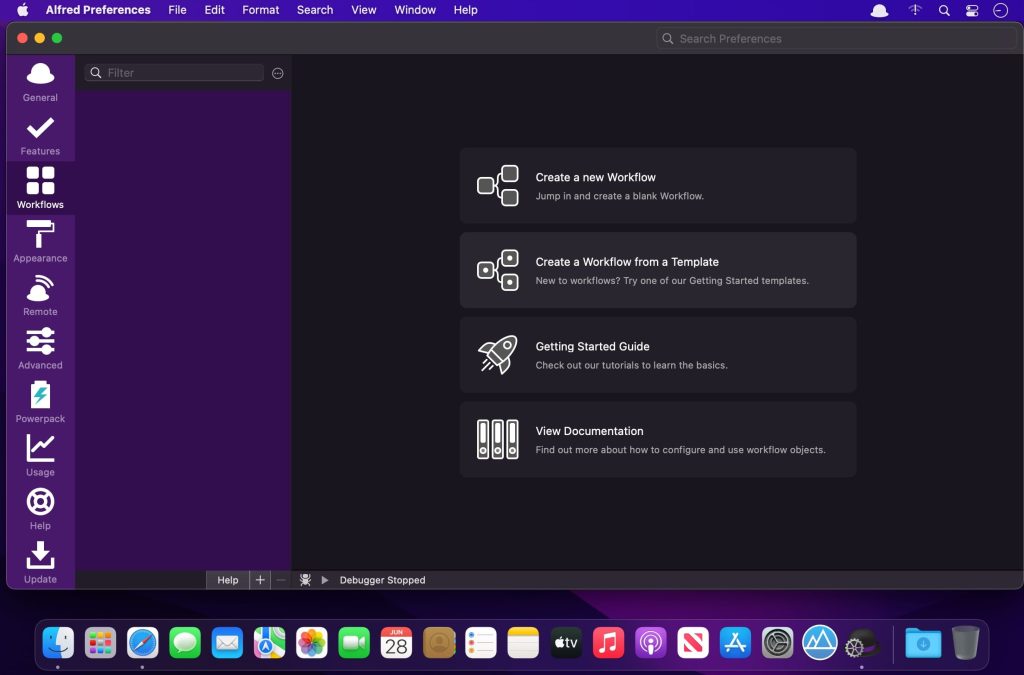
New Workflow Editor
The Workflow Editor has been rewritten from the ground up to be higher performance, more efficient, user-friendly and accessible. We’ve added keyboard shortcuts, new mouse interactions, a customisable and searchable palette, and VoiceOver accessibility of Workflow contents and editing.
Workflows can now be created using keyboard shortcuts, including searching for and inserting workflow objects into the canvas. We’ve also added a new ⌥click paradigm which allows you to quickly connect, multi-connect or chain-connect workflow objects.
Workflow Palette and Search
The new Workflow Palette gives you an easy way to navigate, discover and use the broad range of workflow objects available. Simply drag an object from the Palette into the canvas, or hold ⌥ and drag to automatically connect to the currently selected objects.
Add your most-used objects to the Palette Favourites list for quick access, or search and filter the Palette instantly with the / shortcut. Use ↩︎ to add the searched item to the canvas, or ⌥↩︎ to insert and automatically connect.
Configure the Palette to be full, compact, or hidden to suit your workspace. Even when hidden, the Palette Search will be dynamically available when needed.
Workflow Prefabs
Prefabs enable you to save pre-configured objects, or groups of connected objects, into the Palette. You can then reuse these throughout your workflows just like any other workflow object, saving you time and effort.
Workflow User Configuration
Workflow creators can now add simple user-facing preferences to workflows, making them easier for users to install and set up. The Workflow readme supports a subset of Markdown, so you can style your workflow introduction and help.
Use easy text fields, checkboxes, selection lists, file pickers and more to allow users to configure a workflow without having to navigate into individual objects or scripts!
Configuration items can have default values, or can be marked as required, ensuring the user has configured the workflow before it can be used. User values are automatically migrated on updating a workflow.
Automation Tasks
This is the start of something amazing…
Alfred’s Automation Task object adds an ever-growing collection of configurable actions you can add to your workflows as building blocks, without having to think about the code behind it; From resizing images and moving files to getting the current Safari tab or switching to Dark Mode.
The Automation Task collection is aimed at both non-developers, and advanced workflow creators alike. We develop, maintain and enhance the repository of underlying actions, you simply add them to your workflow.
Run macOS Shortcuts
It’s now possible run macOS Shortcuts as part of your Workflows.
Accessibility & Keyboard-based Workflow Editing
This is part of our ongoing commitment to make Alfred more accessible and better suited for use with the VoiceOver and Accessibility macOS features.
In addition to the Palette Search and Workflow User Configuration, both of which were conceived with Accessibility in mind, Workflows can now be edited and navigated using the keyboard.
Use ⌘arrows to move between objects on the canvas, or ⌘⌥left or ⌘⌥right to navigate forward and back through connected objects. Navigate to sibling objects using ⌘⌥up or ⌘⌥down.
With VoiceOver enabled, Alfred will be reading the object and connection details as you navigate.
Improved Ubiquitous Search
Alfred’s Ubiquitous search has received more improvements, making it easy to get to a specific preference keyword or snippet directly, and even create a new workflow directly from Alfred’s main bar.
And so much more…
Boost your everyday productivity in every way with many more new features and improvements
We’ve added Interactive Getting Started guides to introduce new users to the Workflow Editor and walk them through creating their first workflows
Redesigned icons to make workflow objects even easier to recognise
Many new objects to allow you to write even more code-free workflows, including Conditional objects, a Speech output and a Running Apps filter
The Workflow list can now be resized to more easily see long workflow names
Workflow connections can now be disabled in a workflow, preventing Alfred from following that stream when running the workflow
Improved Workflow object snapping and sizing
Contextual help in more places throughout the workflow editor
The Workflow Debugger can be opened and run regardless of a workflow being opened
Added Workflow Object alignment options to horizontally or vertically align the selected objects, centred, or references around clicked object
Improved workflow connection click detection, including improved hit zones for alt-connection hints
Improved colours for hotkey highlighting when sharing combo with other workflows, including disabled ones
Workflow object notes can now be edited by double clicking them
Swift and Python 3 have been added to the available script selections (may trigger Apple Developer CLI Tools automatic install)
External Trigger objects can now optionally be run from the alfred: URL scheme
Snippet Triggers can now optionally be shown in the Clipboard / Snippets viewer
The Script Filter object has a new `skipknowledge` boolean field in the JSON, preventing Alfred from sorting your outputted results when using UIDs for reselection
New word matching framework for higher performance, and more intelligent boundary matching when using e.g. Script and List filters
The {query} placeholder can now have modifiers performed on it e.g. {query.trim.lowercase}
Added {const:} access to Alfred workflow constants, previously only available to the Scripting environment
Alfred now defaults to using the Dark / Light Modern themes to better match macOS
Improved URL handling throughout Alfred
Improved text view undo algorithm to break coalescing on non-alphanumeric breaks instead of timing
Add custom Alfred accent colour to Preferences UI, for improved experience on Big Sur+
Improved icon rendering across the board
Larger hit zones for buttons at the bottom of the Workflows, Themes and Remote Pages lists
Improved macOS Colour palette behaviour in theme editor when changing colour options
New option to allow resetting of colour, size and font in rich text snippets
Separate icons for Snippets and Snippet Collections for UI clarity
Enable drag and drop of snippets between collections in the preferences
Reveal in Finder Universal Action now works with multiple file selections
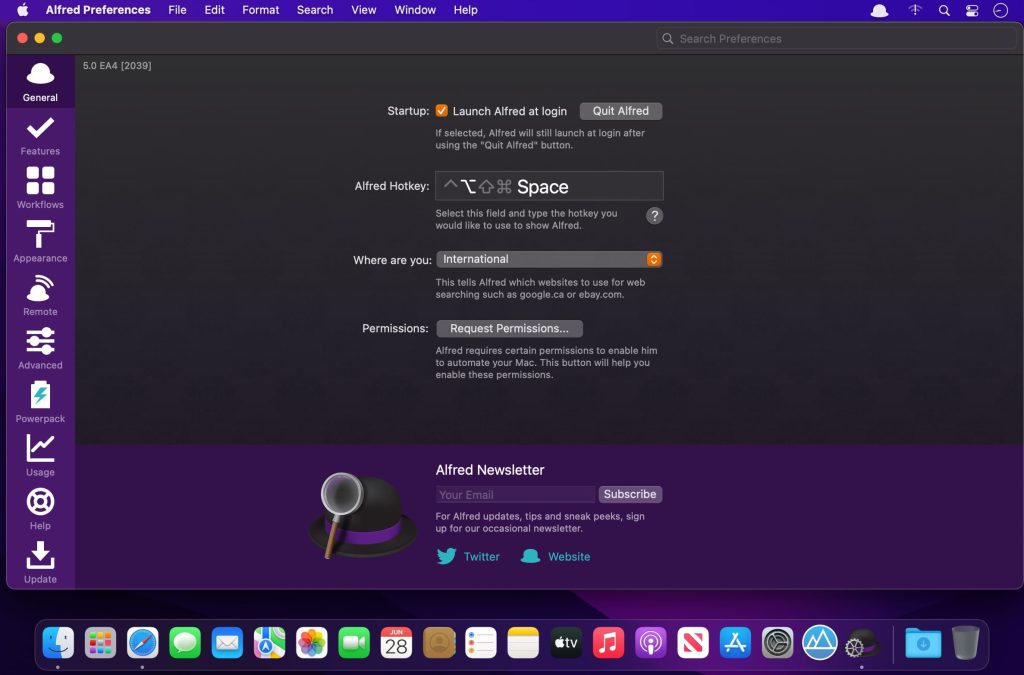
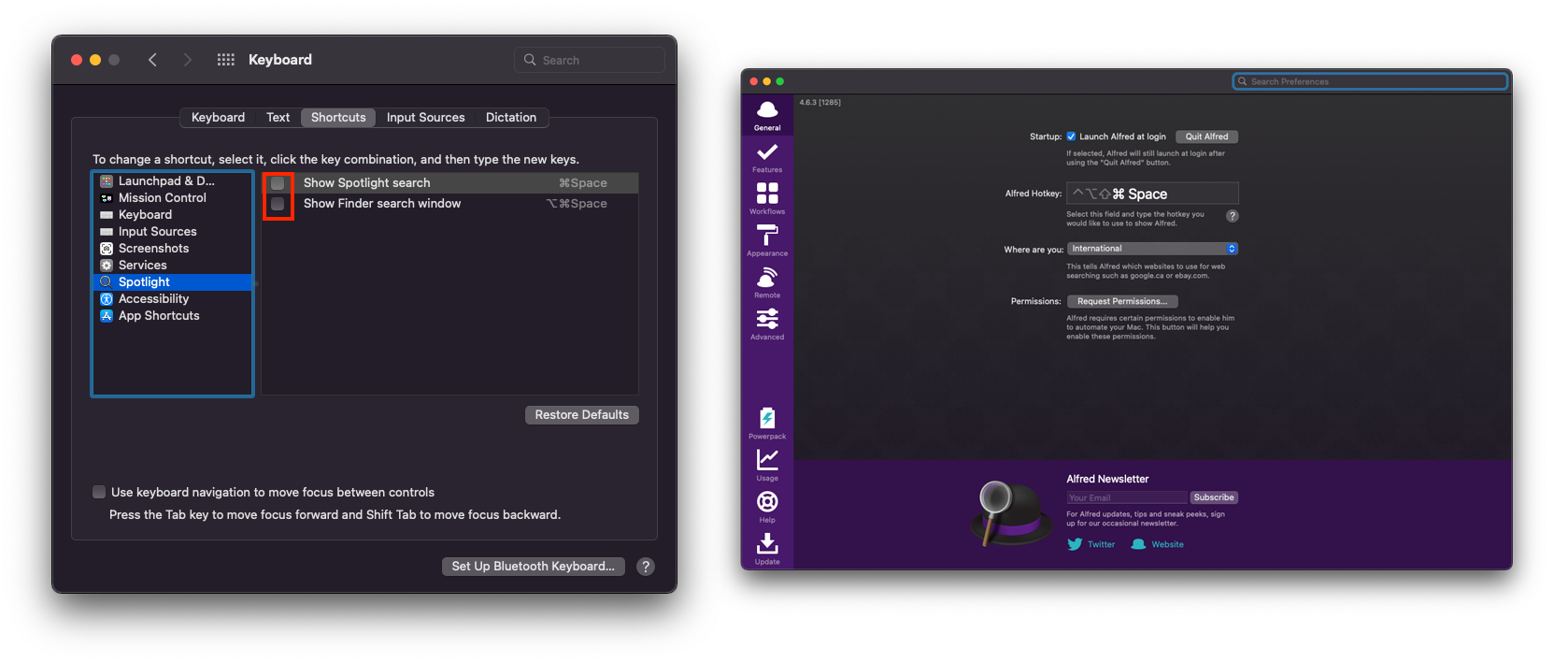
Để chỉnh phím tắt gọi Alfred thay thế Spotlight bạn Disable Keyboard Shortcut của Spotlight như hình dưới, sau đó vào Alfred chỉnh lại Shortcut là Cmd Space