Wirecast Pro – Ứng dụng Livestream Chuyên nghiệp cho Cá Nhân 🚀
Bạn khao khát tạo ra những buổi livestream đỉnh cao ✨, thu hút người xem và chia sẻ câu chuyện của mình một cách chuyên nghiệp? Wirecast Pro chính là giải pháp mạnh mẽ dành cho bạn! 💻 Ứng dụng livestream chuyên nghiệp này trên MacBook 🍎 sẽ biến ý tưởng của bạn thành hiện thực ấn tượng.
Wirecast Pro mang đến bộ công cụ sản xuất video trực tiếp linh hoạt và tùy biến cao, giúp bạn dễ dàng tạo ra các chương trình livestream chất lượng cao chỉ trong vài phút. Dù bạn muốn phát sóng trực tiếp trên YouTube ▶️, Facebook 🌐, Twitch 🎮, hay bất kỳ nền tảng nào khác, Wirecast Pro đều đáp ứng được.
**Yêu cầu Hệ thống:**
* **Phiên bản macOS:** Wirecast Pro yêu cầu **macOS 11.0 (Big Sur) trở lên** để hoạt động tốt nhất. ⬆️
* **Cấu hình Tối thiểu:**
* **Bộ xử lý:** Intel i5 lõi kép @ 2.3GHz trở lên. ⚙️
* **RAM:** Tối thiểu 4GB RAM (khuyến nghị 16GB trở lên cho hiệu suất cao). 💾
* **Card đồ họa:** Card đồ họa hỗ trợ DirectX 11 với 3D acceleration (Nvidia GeForce hoặc AMD Radeon được khuyến nghị). 🎨
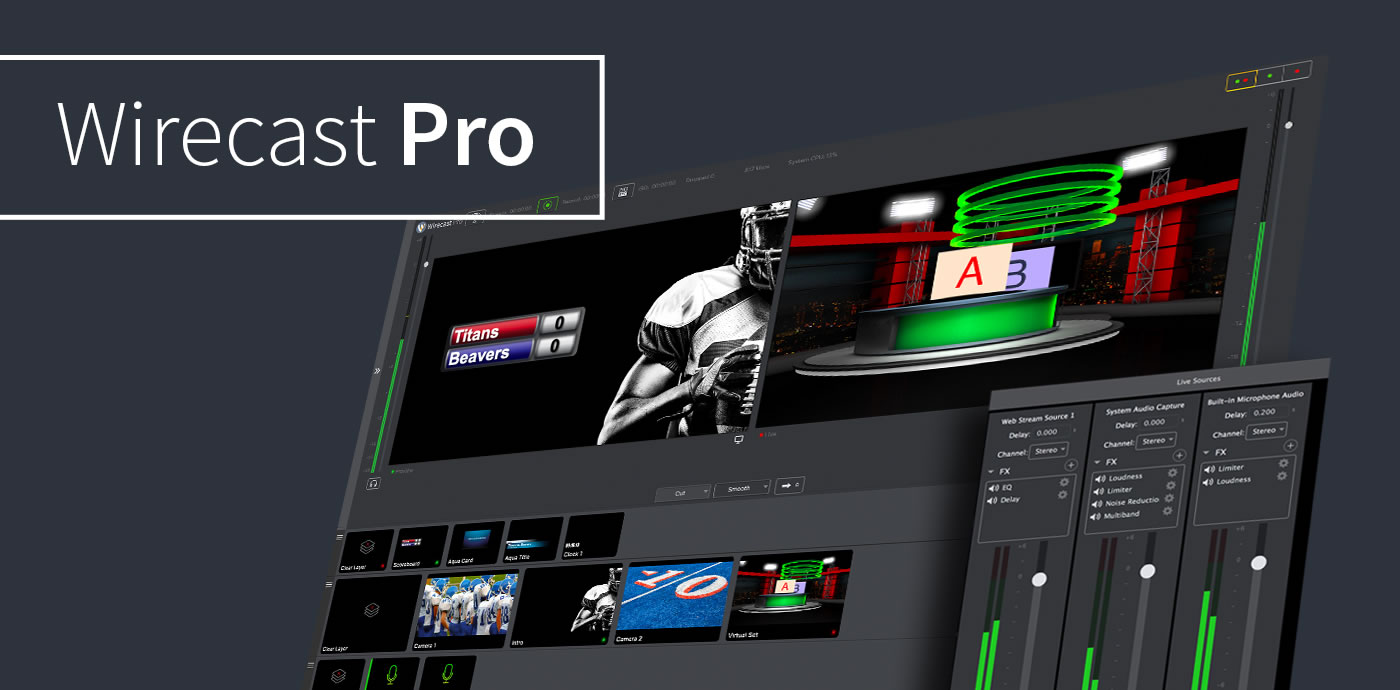
Với Wirecast Pro, bạn có thể nhập **không giới hạn nguồn video** 📹, chuyển đổi cảnh mượt mà, thêm hiệu ứng hấp dẫn ✨, đồ họa động 📊, và thậm chí mời **lên đến 7 khách mời từ xa** 🧑🤝🧑. Hãy bắt đầu hành trình sáng tạo livestream chuyên nghiệp của bạn ngay hôm nay! 🎉
Ngoài OBS (Free), thì Wirecast Pro là phần mềm LiveStream như một người Live Stream chuyên nghiệp, ứng dụng hỗ trợ không giới hạn thiết bị đầu vào từ Camera, Camera trên Máy, và nhiều thiết bị khác… hỗ trợ một số hiệu ứng thú vị trong lúc Live Stream.
Chỉ cần mở Wirecast, chọn các thiết bị đầu vào, đăng nhập tài khoản để LiveStream,
Các tính năng
Truyền phát trực tiếp lên Facebook Live, Twitter,YouTube, Vimeo Live
Truyền phát và ghi âm cùng một lúc hoàn toàn dễ dàng.
Hiển thị các bình luận trên Facebook trong các tiêu đề hoạt hình
Nhập âm thanh đa kênh, hỗ trợ cho các thiết bị ASIO, WASAPI và CoreAudio
Cải thiện khả năng tiếp cận cho khiếm thính với chú thích trực tiếp
Hỗ trợ nhiều camera và đầu vào (USB, SDI, HDMI)
Có hơn 100 đồ họa và tiêu đề tích hợp sẵn trong Wirecast
Hiển thị số người xem trực tiếp (Facebook, YouTube, Twitch và Hitbox)
Phát trực tiếp H.264 (cả giao thức RTSP / RTMP)
Tự động kết nối cho bất ký máy chủ phát trực tuyến nào
Bộ trộn âm thanh được tích hợp để điều khiển tốt hơn
Hỗ trợ các định dạng hình ảnh bao gồm GIF, PNG, JPEG
Truyền phát và ghi lại video và âm thanh chất lượng cao
Các thay đổi trên bản Wirecast Pro 14
Nhấn để xem chi tiết
Wirecast 14 is here! This is an epic release with a LOT of stability and reliability improvements. Additionally, we have several new features including an all new Chroma Key with added Luma Key and Color Key options.
We’ve also focused on improving the experience of doing remote guest interviews by improving Rendezvous’ stability as well as adding more flexibility for what displays if your guest gets disconnected.
Here’s what to expect in Wirecast 14:
All new Chroma Key (with special guests Luma Key and Color Key)
New options for more accurate keying, including spill suppression, edge coloring, and clipping ranges. Plus a Luma Key (useful if you have a logo with a white or black background you wish to remove), and Color key (useful for images (logos) that have non-black and non-white backgrounds).
Better, more reliable incoming video source connections
Improved reliability for Wirecast Go, Rendezvous and webstream sources, plus efficiency improvements with GPU decoding for NDI sources
Text and font improvements
Smoother text scrolling and a new font picker to select font variants
More options when sources get disconnected
When a source gets disconnected, you can now choose to replace it with transparency or a custom image
Improved ability to size and scale sources
We’ve added new options for sizing and scaling sources, making it easier to precisely size your videos and images on the canvas. Plus, incoming sources are now scaled automatically, and will maintain their size based on settings you choose.
Latency and syncing improvements
We’ve made improvements to – and we’ve also given you more control over – the way incoming audio and video are synced together, ensuring more accurate lip-sync.
Updated technologies
Updated to NDI 4.5, ported OpenGL to Metal on macOS, updated webstream plugin (libVLC), for improved connectivity and efficiency
Better notifications and stats
The status bar is now moved to the bottom of the screen, giving more space to show System CPU and App CPU, as well as other streaming stats.
Plus hundreds of additional bug fixes and improvements!