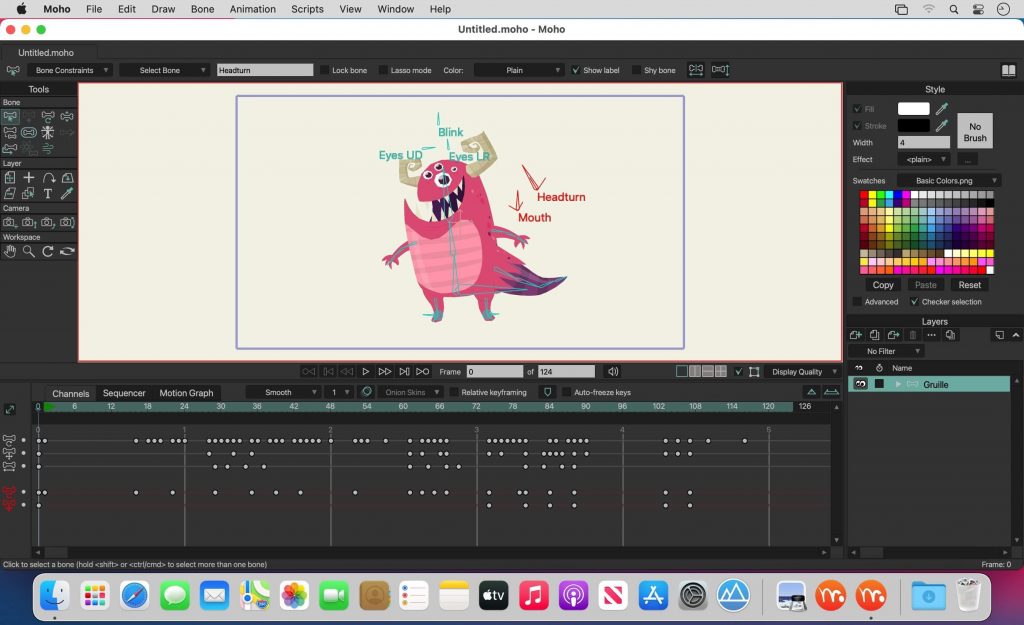
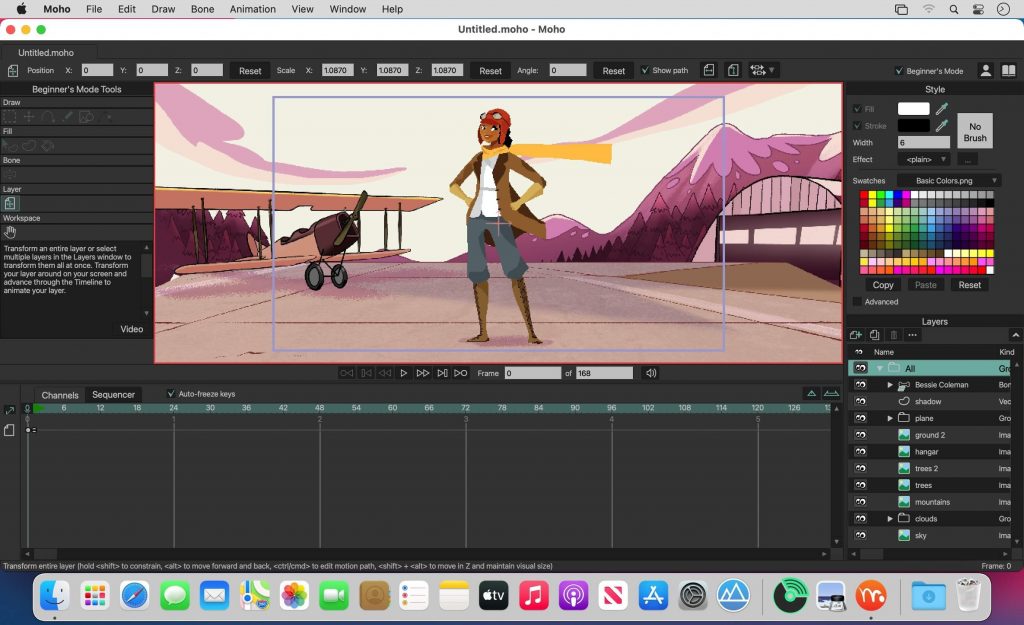
Smith Micro Moho Pro là chương trình hoàn hảo để tạo phim hoạt hình 2D, phim hoạt hình, các nhân vật anime, các đoạn intro, các file gif, hình động anime. Tạo phong cách riêng cho màn hình nền của bạn với các nhân vật anime và dùng để sản xuất các đoạn phim ngắn, dài,…
Bạn có thể tự vẽ nhân vật, hoặt dùng nhân vật có sẵn trong thư viện, hoặc nhập từ nguồn hình nào đó, âm thanh, tạo phụ đề.
Điểm mới trên Moho Pro 13
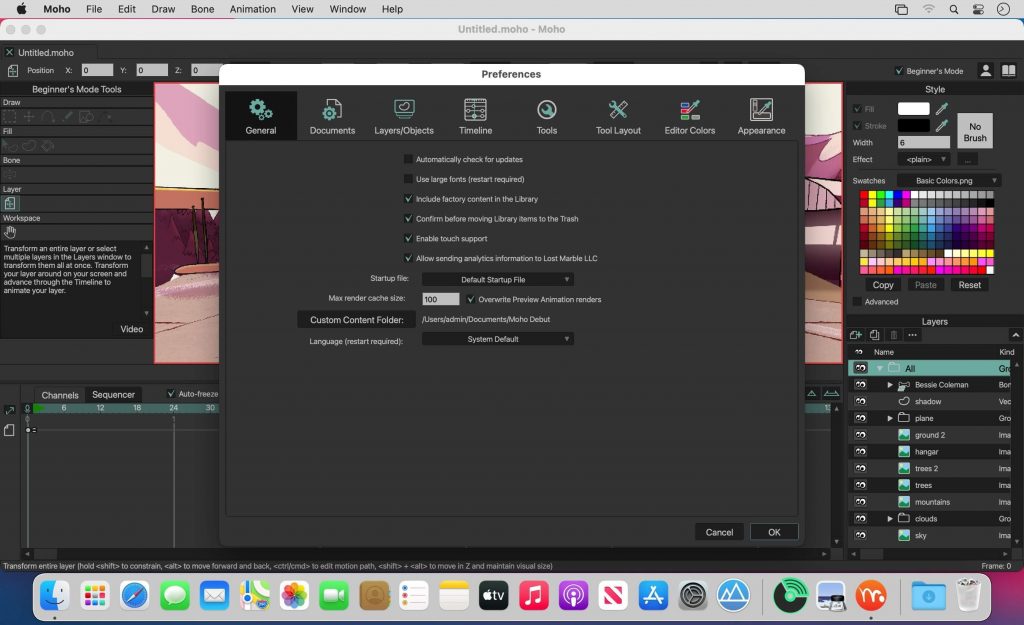
Tương thích: macOS 10.15 or later (bản mới nhất)
Anime Studio Pro 9.1
Anime Studio Pro 11.2
Smith_Micro_Moho_Pro_v12.3.0.22117
Smith_Micro_Moho_Pro_v12.5
Smith_Micro_Moho_Pro_v13.5
Smith_Micro_Moho_Pro_v13.5.1
Smith_Micro_Moho_Pro_v13.5.2
Smith_Micro_Moho_Pro_v13.5.3
Smith_Micro_Moho_Pro_v13.5.4
Smith_Micro_Moho_Pro_13.5.5
Moho pro 13 v13.0.2 [Bản này hơi cũ nhưng thuốc ngon và dễ]
Moho Pro v14.1 [Bản có keygen]
Moho Pro v14.2
Moho Pro v14.3
Moho.Pro.v14.4
Lưu ý: Ngắt mạng trước khi nhập Key
Hướng dẫn thuốc bản mới nhất.
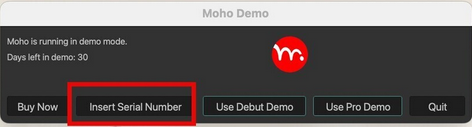
B1. Cài xong mở app lên, chọn Inser Serial Number
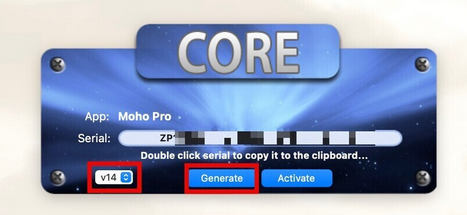
B2. Mở Core Keygen lên, chọn như hình
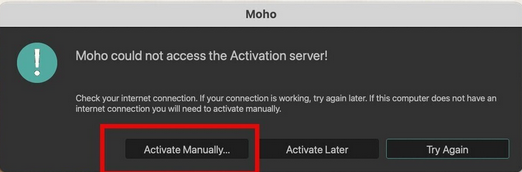
B3. Lấy Key vừa tạo, nhập vào màn hình Product Activation ở B1 rồi nhấn Activate. Màn hình báo lỗi này sẽ hiện ra. Chọn vào Activate Manually
Chọn Create Activation Request
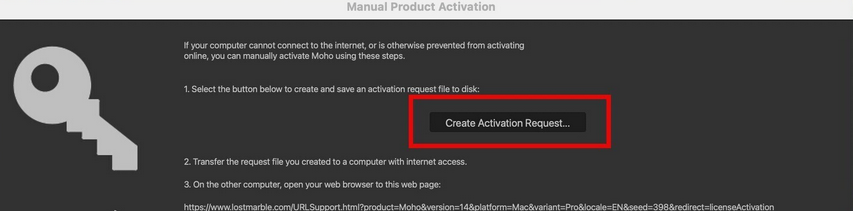
Màn hình tiếp theo sẽ tạo ra file Moho_ActivationRequest.txt> chọn lưu file này ngoài Desktop cho dễ
B4. Trở lại file Keygen> Nhấn Activate
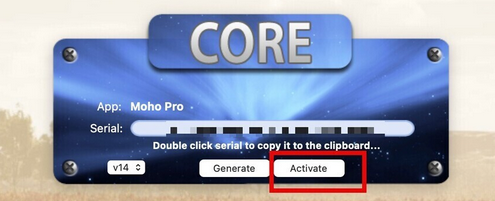
Chọn tới file Moho_ActivationRequest.txt đã lưu ngoài Desktop ở trên. Keygen sẽ tạo ra file activation_certificate.txt. Tiếp tục lưu file này ngoài Desktop
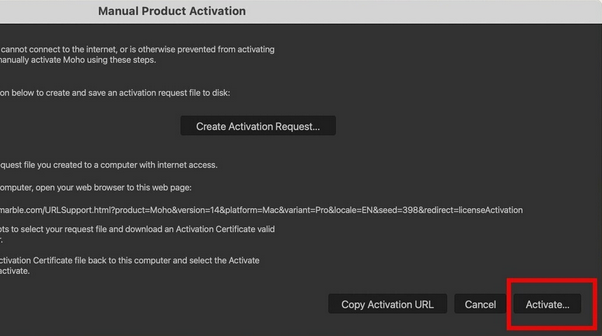
B5. Trở lại màn hình Manual Activation ở B3. Nhấn Activate> chọn tới file ngoài activation_certificate.txt Desktop rồi chọn open là xong
Hướng dẫn thuốc bản 13.0.2
– Tải về mở file dmg kéo vào Application. Không mở ứng dụng
– Mở file Patch> sau đó click đúp vào thư mục macOS > Kéo file moho vào thư mục vừa mở là xong
maclife

Phần mềm Post trên MacLife được tổng hợp từ nhiều nguồn. Phục vụ cho mục đích dùng thử. Nếu thấy apps có ích, hãy mua bản quyền để ủng hộ tác giả. App đã tải vui lòng xóa sau 24h
### 🌟 **Smith Micro Moho Pro – Làm Phim Hoạt Hình 2D** 🌟
Smith Micro Moho Pro là một phần mềm mạnh mẽ dành cho việc tạo ra các phim hoạt hình 2D với nhiều tính năng tiên tiến. 🎨 Với giao diện trực quan, nó cho phép cả người mới bắt đầu và các chuyên gia dễ dàng sử dụng. Moho Pro sở hữu bộ công cụ mạnh mẽ để phát triển nhân vật, hoạt hình và bố cục, giúp bạn sáng tạo mà không bị giới hạn. 🎥
#### 🖥️ **Yêu cầu hệ thống MacOS:**
– MacOS **10.14 trở lên**
– Bộ vi xử lý **Intel**, tối thiểu **2 GHz**
– **RAM** tối thiểu **4 GB** (khuyến nghị **8 GB**)
– **Card đồ họa** hỗ trợ OpenGL 2.1 hoặc cao hơn
Moho Pro không chỉ là phần mềm làm phim hoạt hình mà còn là công cụ hỗ trợ sáng tạo nghệ thuật số hiệu quả. 💡 Từ việc tạo ra các hình ảnh động sống động đến việc thiết kế nhân vật độc đáo, Moho Pro mang đến trải nghiệm thú vị cho người dùng. 🎈
Hãy khám phá Moho Pro ngay hôm nay và đưa ý tưởng sáng tạo của bạn lên một tầm cao mới! 🌈